
Posted By: Tony Baird
Last Updated: Friday January 16, 2026

We’re happy to announce that all our shared, reseller and semi-dedicated servers are now running the latest version of cPanel v132. The cPanel v132 brings along a bunch of highly requested features, along with a variety of other improvements.
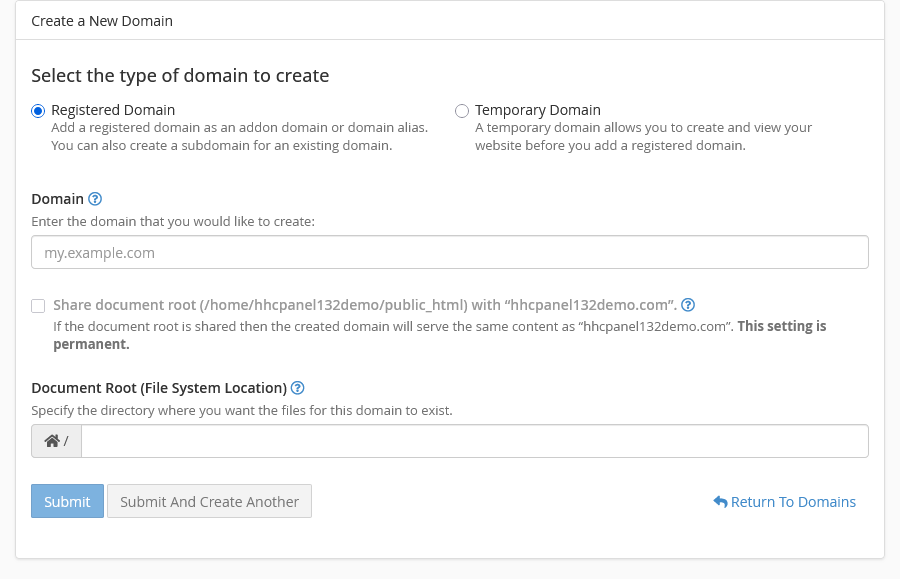
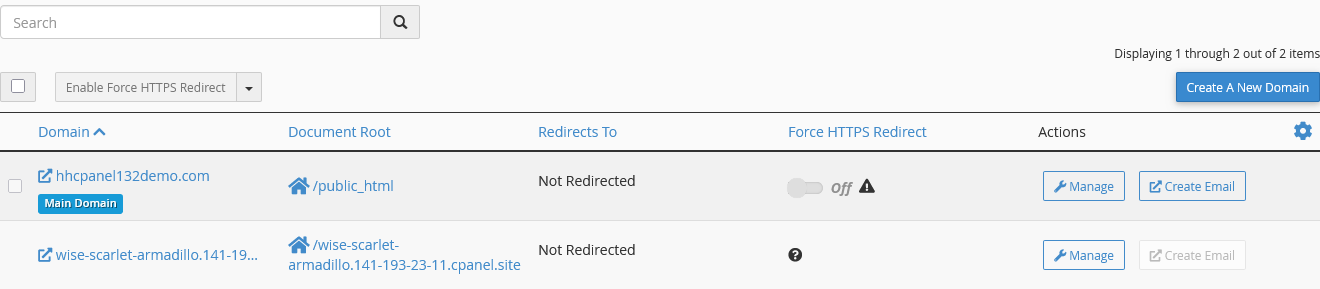
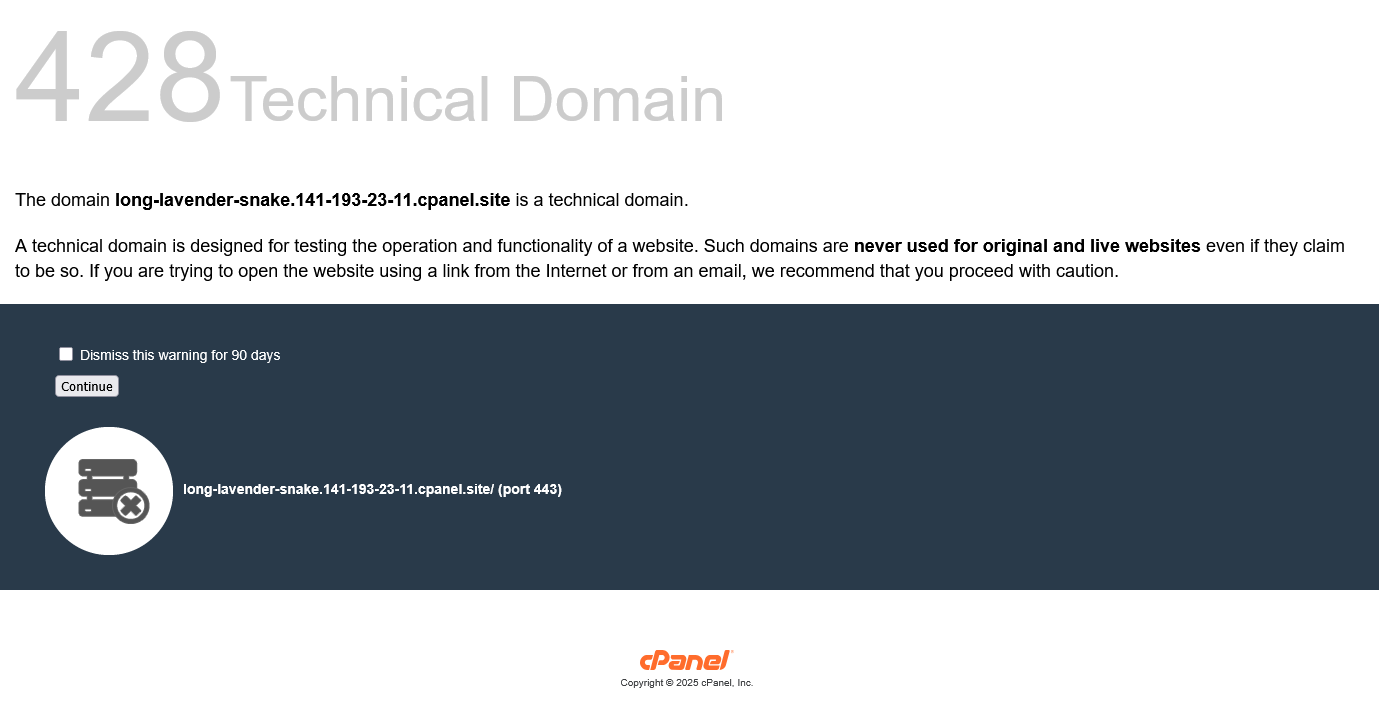
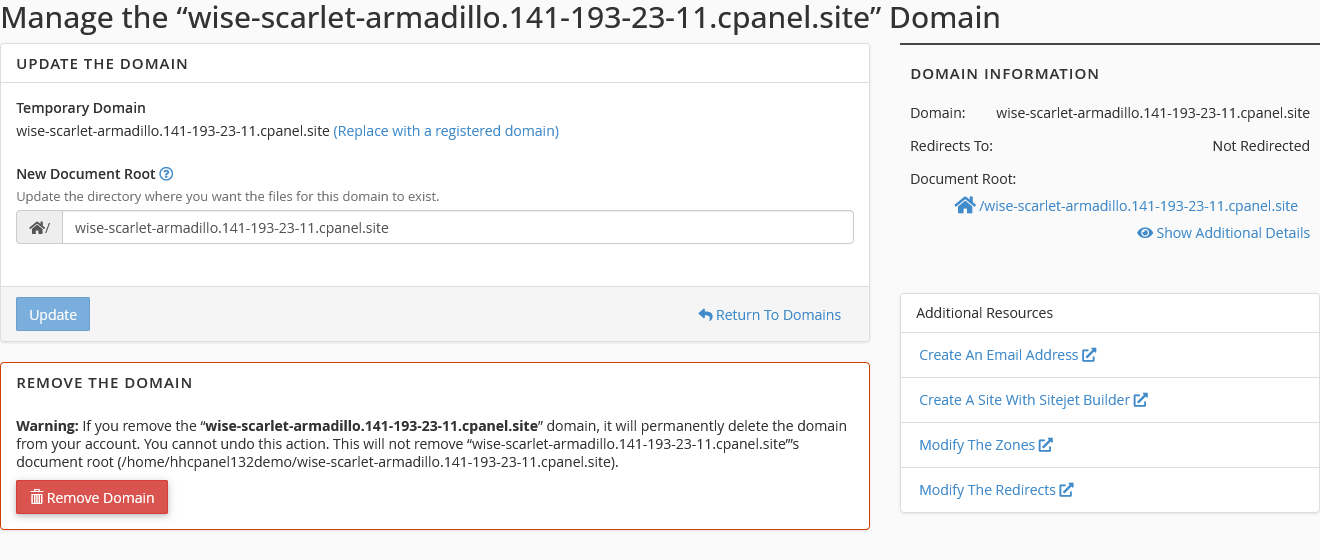
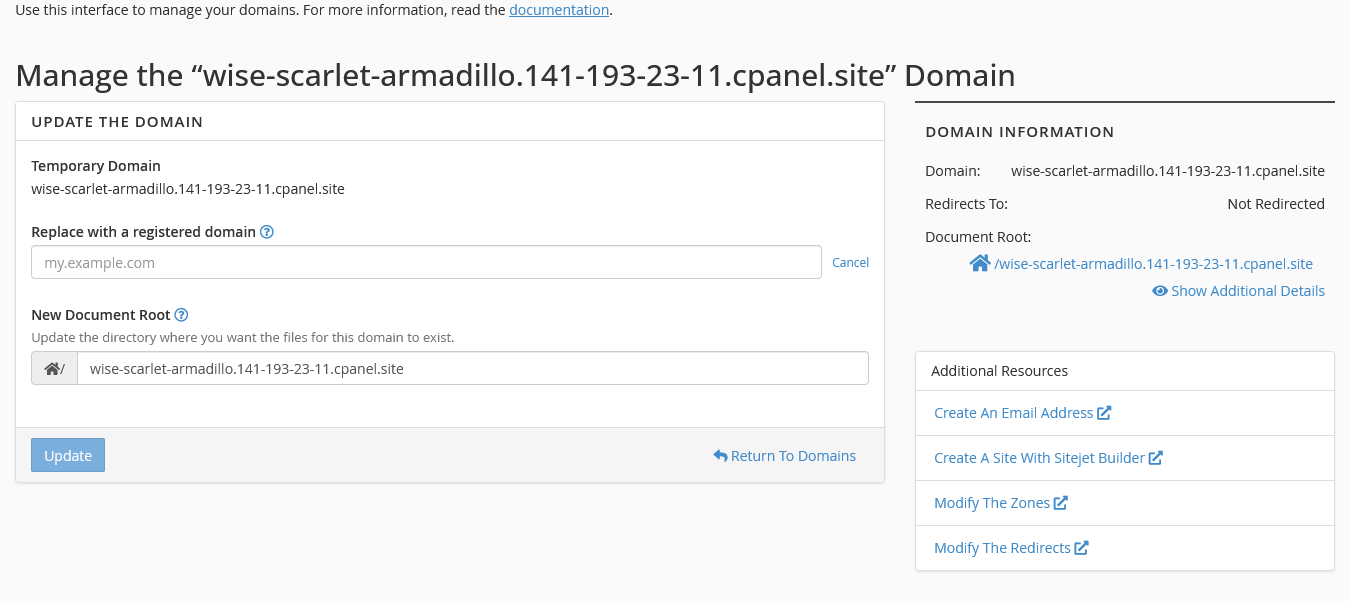
cPanel v132 has introduced the ability to create temporary domains through the domain interface. That means you don’t necessarily need to point the domain to our hosting yet when you’re working on a new site or preparing to migrate a site. You can create a temporary domain that anyone can visit, even after dismissing the warning that it’s a technical domain not meant for production.
Here’s a quick demo of how to create a temporary domain:

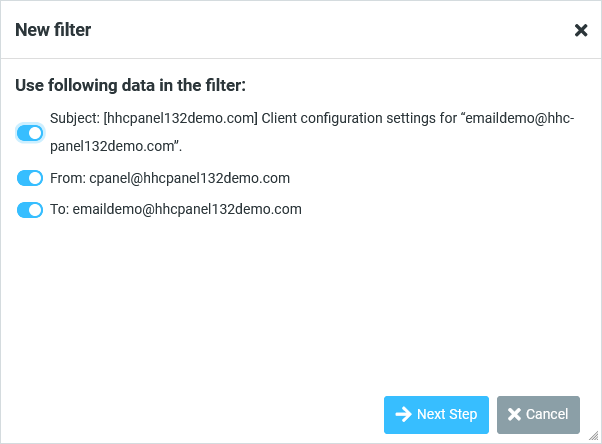
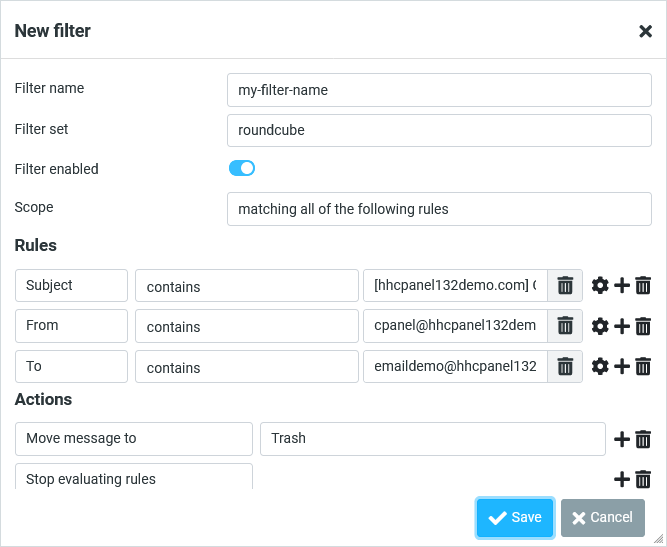
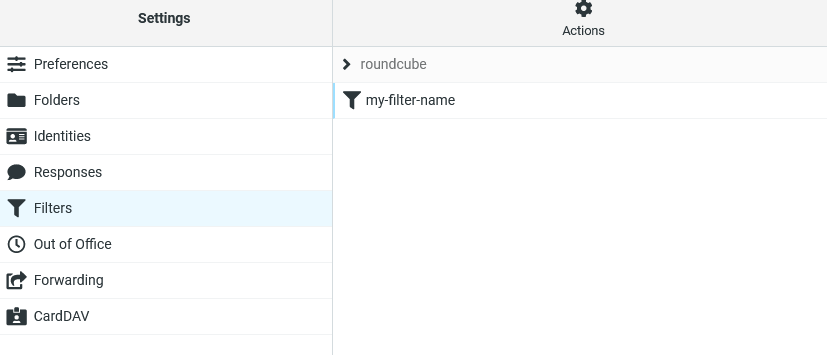
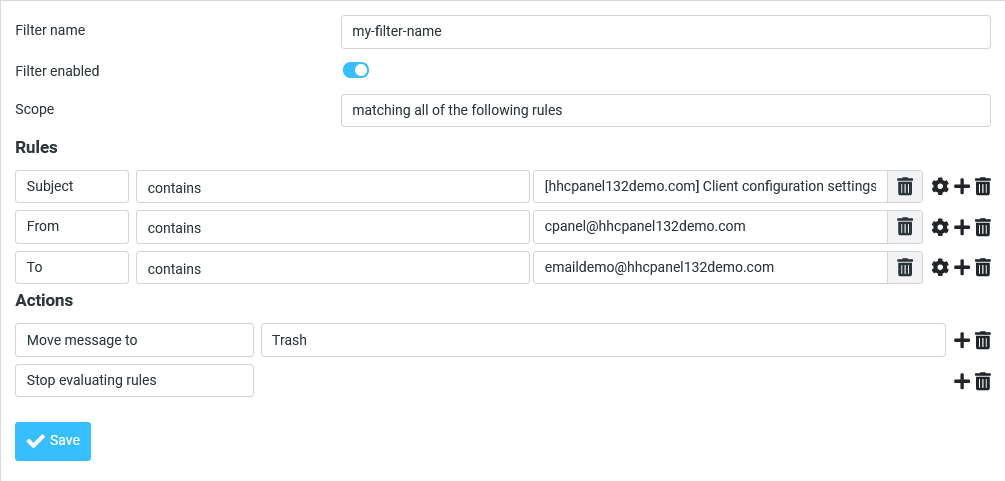
cPanel v132 introduces server-side Sieve filter support utilizing the Dovecot Pigeonhole feature. While cPanel supported user and global filters through the cPanel/Webmail interface, it lacked complete integration. You will now be able to manage server-side sieve filters either through your email client (if it supports it) or through Roundcube.
The easiest way to create a filter is to use an existing email message. In my example, I’ll click “More” on an email message, then select the “Create Filter” option, which opens the filtering interface.
cPanel v132 brings back the editor interface by utilizing the Jodit Editor. The Jodit Editor is a modern editor built entirely in TypeScript and actively maintained. Of course, it’s still easier to edit your files from your system using your favorite editor, but if you need to make a quick edit of a file through cPanel, it’s easier than ever.
cPanel v132 brings a variety of other improvements, which are still worth mentioning:
For our cloud compute/cloud vps customers using cPanel, if auto updates are enabled, you should have already received the update, assuming your server meets the minimum requirements. If you have cPanel installed on your server and are not running cPanel v132, please reach out to our support team so we can investigate why your server has not received the update.












 Shared Web Hosting
Simple, secure, and reliable cloud hosting
Shared Web Hosting
Simple, secure, and reliable cloud hosting Semi-Dedicated Cloud Hosting
Higher power & more resources
Semi-Dedicated Cloud Hosting
Higher power & more resources Reseller Cloud Web Hosting
White label & fully customizable
Reseller Cloud Web Hosting
White label & fully customizable Contact Support