
How do I pay my invoice with PayNow or UPI?
PayNow is an instant transfer mobile payment method supported by most major financial institutions in Singapore. UPI provides the same functionality for users in India. Hawk Host accepts both for all services.
To pay with PayNow or UPI:
-
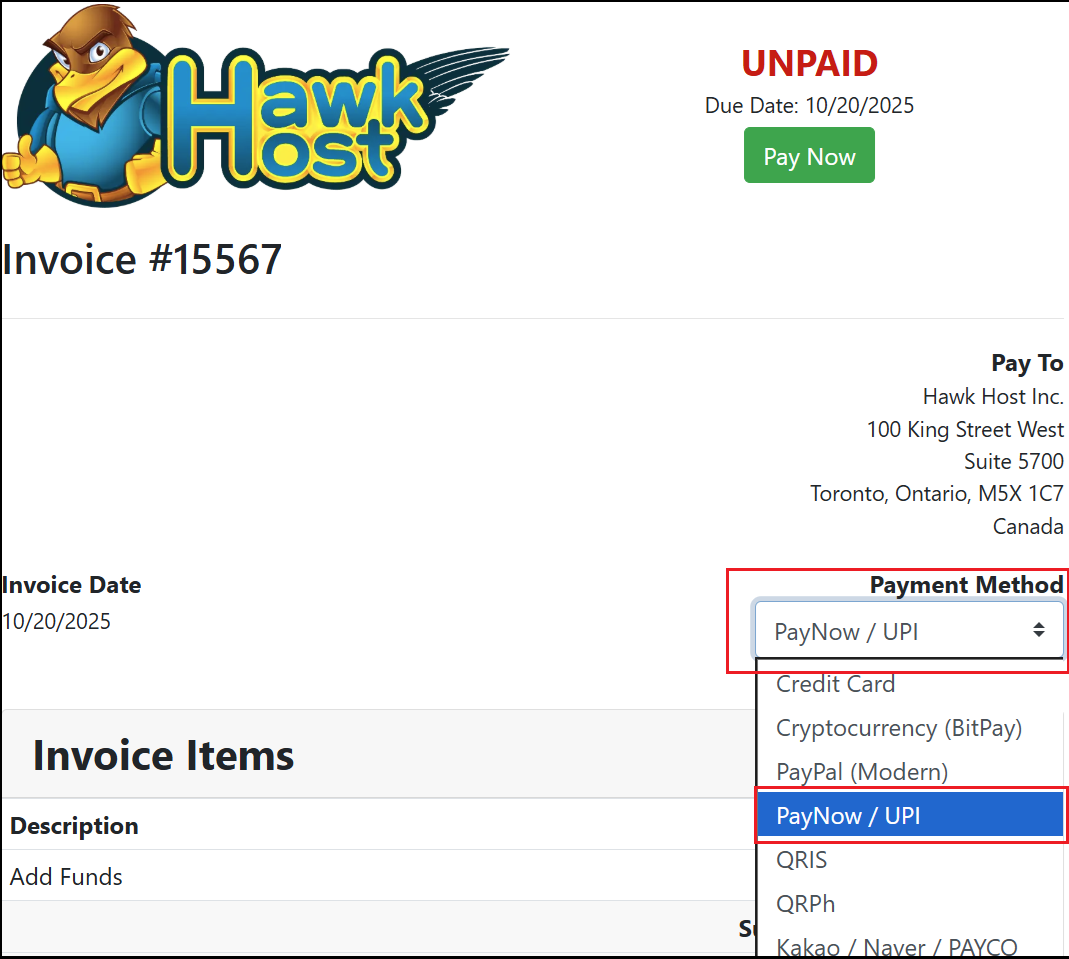
Open your invoice in the client area or from your new order checkout. In the payment method dropdown, select Pay Now / UPI.
-
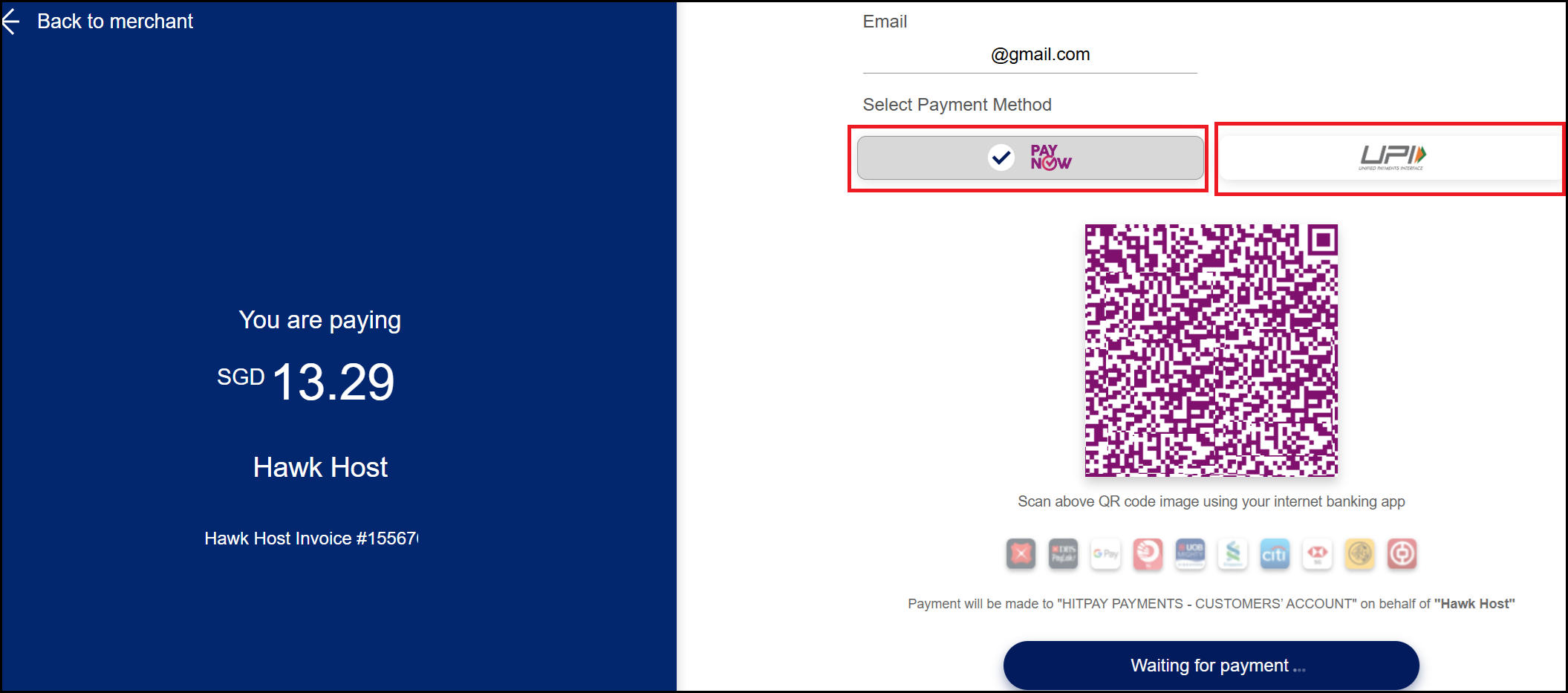
Click the green Pay Now button. You will be redirected to our merchant platform where a QR code will be displayed. Select the Pay Now or UPI icon to choose your payment method, then scan the QR code with your mobile device.
-
Complete the payment on your mobile device. Your browser will refresh to confirm the payment was received.
-
To verify, visit your invoices page and confirm the invoice is marked as paid.
If you experience any issues, email billing@hawkhost.com or submit a ticket with a screenshot of the error and a description of the problem.