
How do I force SSL/HTTPS on my websites?
You can force visitors to use SSL/HTTPS by adding rewrite rules to your site’s .htaccess file.
cPanel Method
Section titled “cPanel Method”cPanel allows you to automatically redirect all traffic on a domain from HTTP to HTTPS through its Domains interface.
-
Log in to your cPanel account.
-
Navigate to the Domains section and click on Domains.
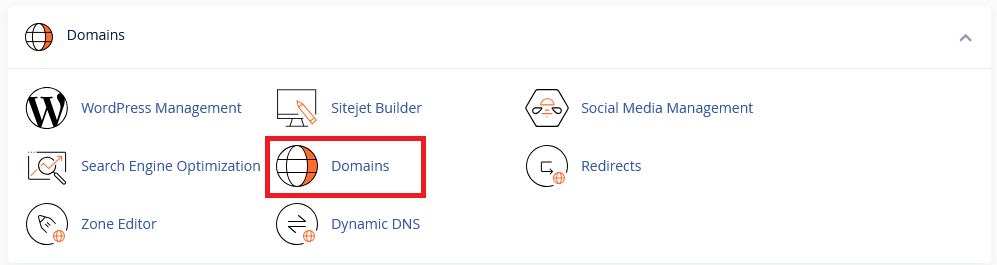
-
Turn on Force HTTPS Redirect

cPanel also allows you to force HTTPS redirects across multiple domains at once using the checkbox on each domain and the Enable Force HTTPS Redirect button.
.htaccess Method
Section titled “.htaccess Method”Force SSL on all websites
Section titled “Force SSL on all websites”Add this rule to your .htaccess file:
RewriteEngine OnRewriteCond %{HTTPS} offRewriteRule ^(.*)$ https://%{HTTP_HOST}%{REQUEST_URI} [L,R=301]Force SSL on a specific domain only
Section titled “Force SSL on a specific domain only”Replace domain.com with your actual domain name:
RewriteEngine OnRewriteCond %{HTTP_HOST} ^domain\.com [OR,NC]RewriteCond %{HTTP_HOST} ^www\.domain\.com [NC]RewriteCond %{HTTPS} offRewriteRule ^(.*)$ https://%{HTTP_HOST}%{REQUEST_URI} [L,R=301]