
How do I pay my invoice with QRIS?
QRIS is the official QR code payment system in Indonesia. Hawk Host accepts QRIS payments for all services.
To pay with QRIS:
-
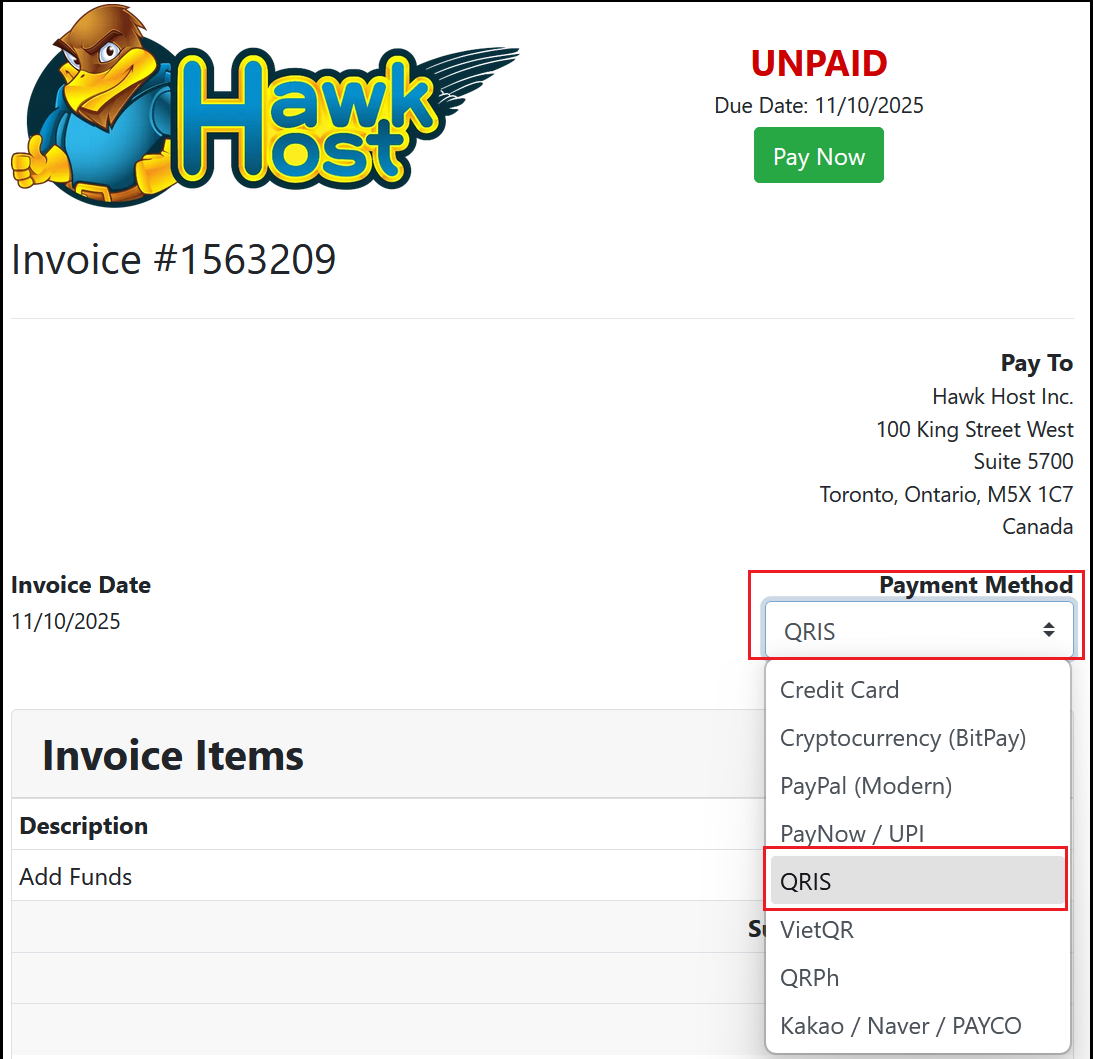
Open your invoice in the client area or from your new order checkout. In the payment method dropdown, select QRIS.
-
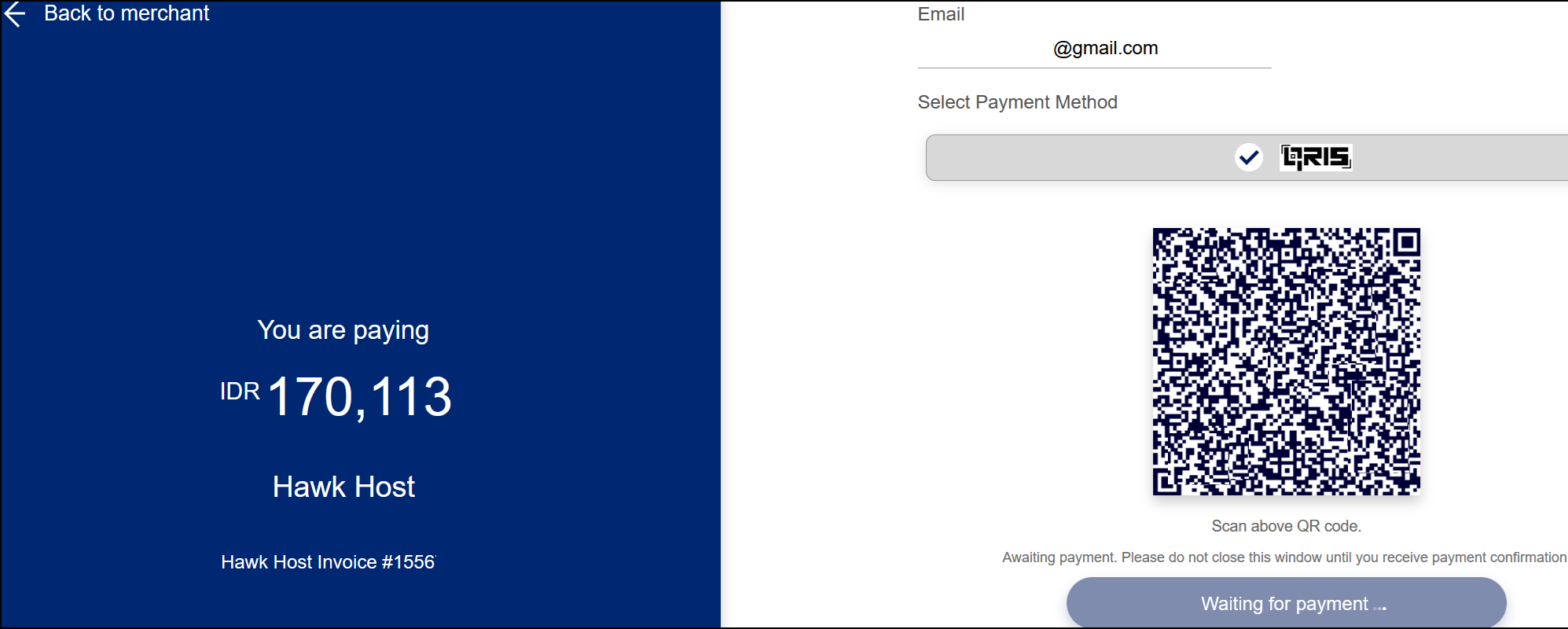
Click the green Pay Now button. You will be redirected to our merchant platform where a QR code will be displayed. Scan the QR code with your mobile device to initiate the QRIS payment.
-
Complete the payment on your mobile device. Your browser will refresh to confirm the payment was received.
-
To verify, visit your invoices page and confirm the invoice is marked as paid.
If you experience any issues, email billing@hawkhost.com or submit a ticket with a screenshot of the error and a description of the problem.