
How do I pay with a credit/debit card through PayPal?
If your credit or debit card is not accepted directly by our billing system, you can process the payment through PayPal instead. A PayPal account is not required, and there are no additional fees. aa
-
Log in to your client area.
-
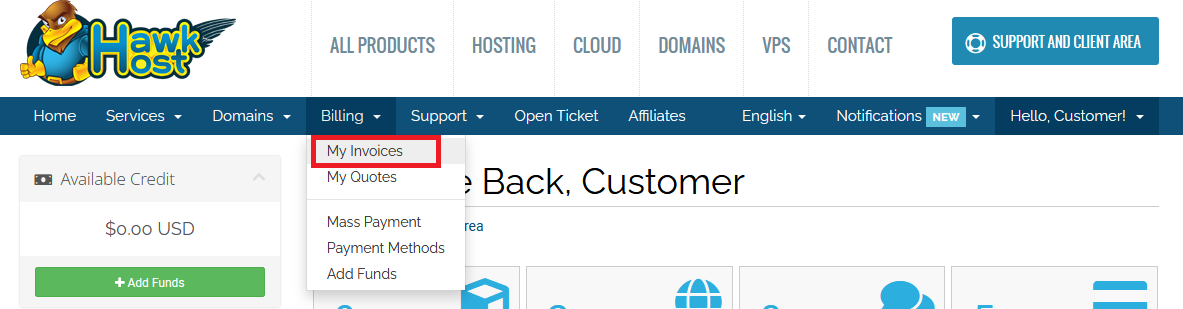
Go to My Invoices (or click Billing > My Invoices from the menu).
-
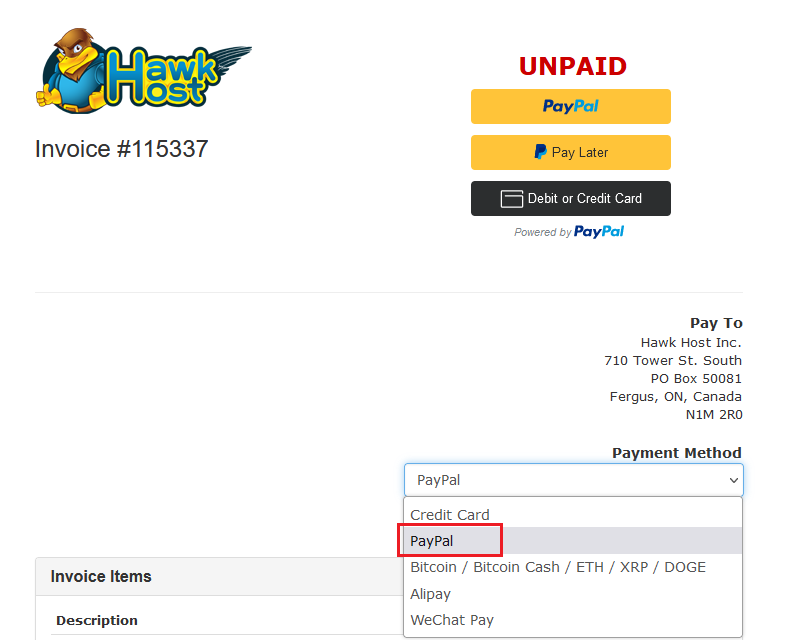
Select the invoice you need to pay and switch the payment method to PayPal.
-
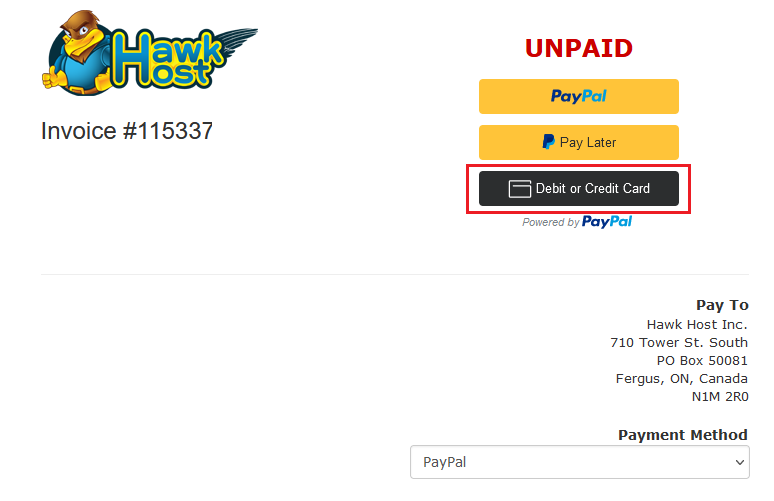
A Debit or Credit Card button will appear on the invoice.
-
Click the button, enter your card number, expiration date, and CVV, then click Pay Now to complete the payment.
If you experience any issues, contact our billing department at billing@hawkhost.com or submit a ticket with details of the error.