
How do I cancel / disable renewal for my domain?
To disable auto-renewal for a domain registered through Hawk Host:
Navigate to your domains
Section titled “Navigate to your domains”-
Log in to your client area.
-
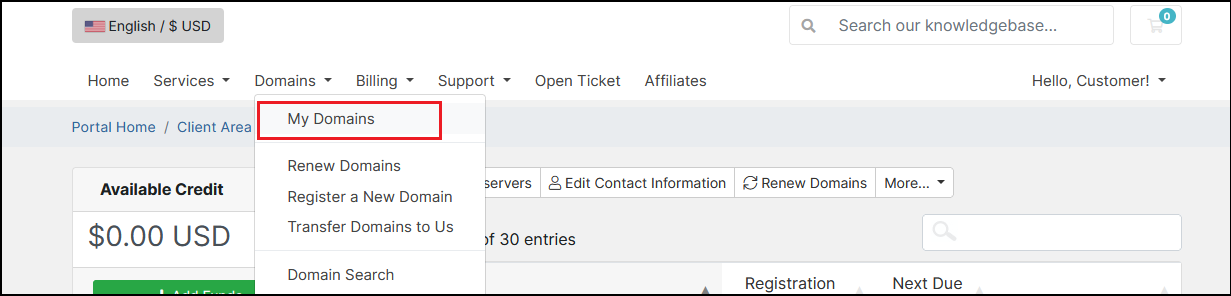
Navigate to Domains > My Domains from the menu.
Disable auto-renewal
Section titled “Disable auto-renewal”-
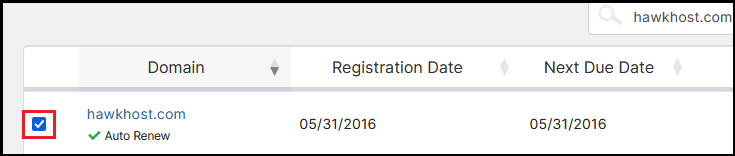
Locate the domain you want to stop renewing and click the checkbox to the left of it.
-
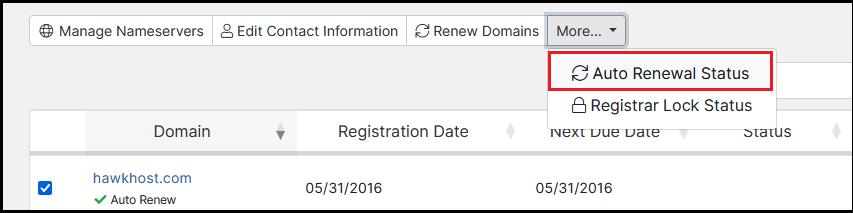
Click the More… dropdown and select Auto Renewal Status.
-
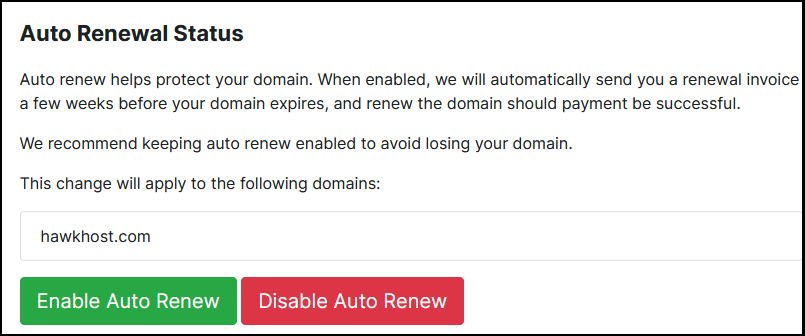
Select Disable Auto Renewal.
-
Return to your domains overview and confirm auto-renewal has been disabled.
