
What is my support PIN, and where do I locate it?
Your support PIN is a unique 9-digit code used to verify your identity when receiving support from our team. A PIN has already been generated for your account.
To find your support PIN:
-
Log in to your client area.
-
Navigate to Support > Support PIN from the menu.
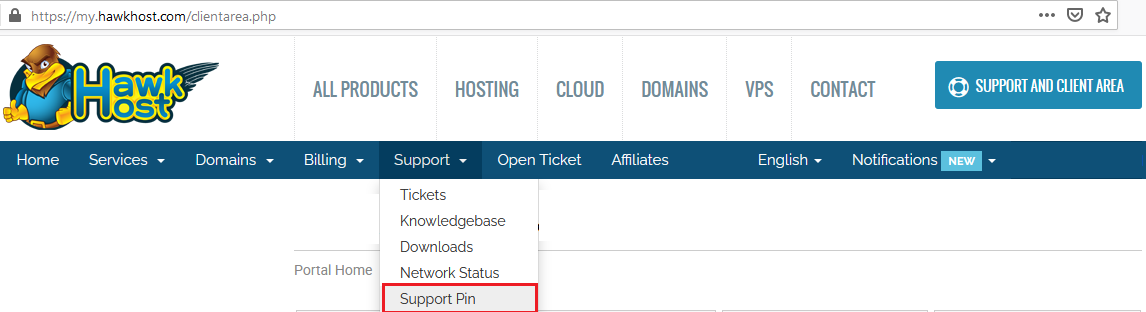
-
Your 9-digit support PIN will be displayed on the page.
-
Provide this PIN to your support representative when requested.
You can also access the page directly at my.hawkhost.com/index.php?m=supportpin.