
How to install Softaculous on your cloud vps with cPanel/WHM
This article assumes your cloud vps already has cPanel/WHM installed with an active license.
Once you have purchased Softaculous, follow these steps to install it.
Enable ionCube in WHM
Section titled “Enable ionCube in WHM”-
Log in to your cloud vps’s WHM admin panel at
https://your-compute-ip:2087. -
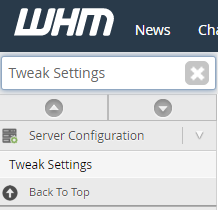
Use the search bar in the top left to find Tweak Settings:
-
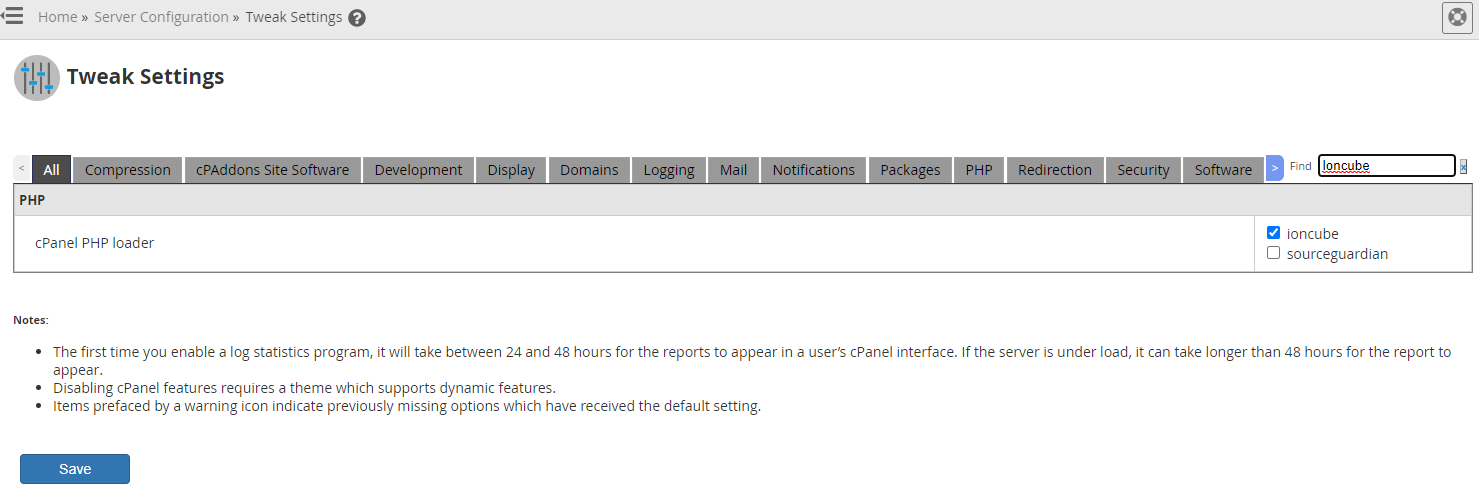
In the Tweak Settings page, search for ioncube on the right side. Enable it and save the changes:
Install Softaculous via SSH
Section titled “Install Softaculous via SSH”-
Connect to your compute as root via SSH. See our SSH guides for Windows, macOS, or Linux.
-
Download and run the Softaculous installer:
wget -N http://files.softaculous.com/install.shchmod 755 install.sh./install.sh -
Once complete, Softaculous is installed and can be managed through the WHM Softaculous interface.
For additional documentation, see the official Softaculous cPanel/WHM guide.