
How do I add KernelCare to my cloud vps?
KernelCare allows you to patch your cloud vps’s kernel on the fly without requiring a reboot, eliminating downtime and keeping your server secure. This addon is only available for cloud vps plans.
To add KernelCare to your compute:
-
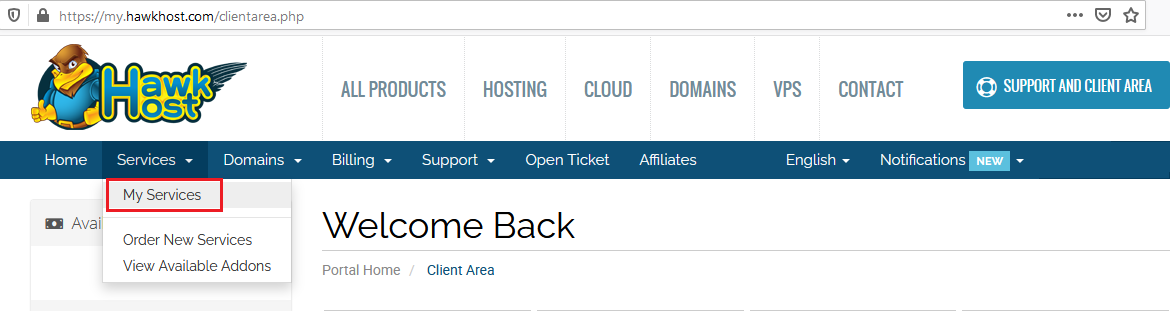
Log in to your client area and navigate to Services > My Services.
-
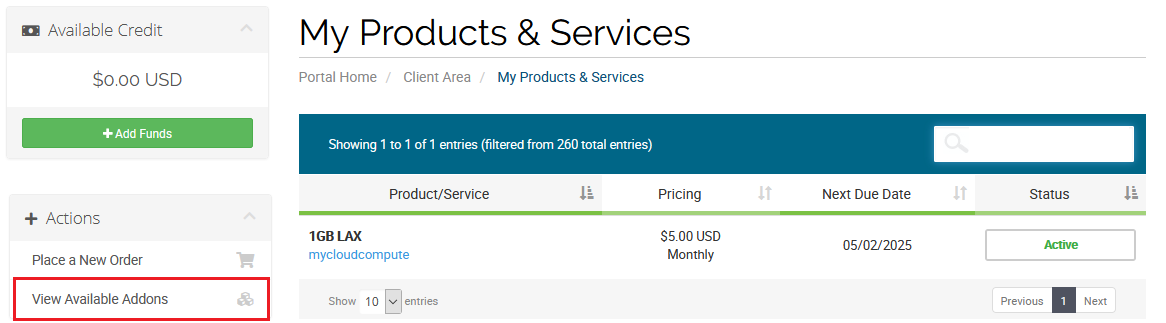
From your My Products & Services page, click View Available Addons from the Actions menu on the left side.
-
On the Product Addons page, find the KernelCare option. Select your service from the dropdown and click Order Now to complete the purchase.

Once purchased, see How do I install KernelCare on my cloud vps? to complete the installation.