
How do I add Softaculous to my cloud vps?
This addon is only available for cloud vps plans. All shared, cloud web hosting, reseller, and semi-dedicated plans include Softaculous at no extra charge.
Softaculous provides one-click installations for over 430 scripts. Using Softaculous requires your compute to have a valid cPanel/WHM or DirectAdmin license.
To add Softaculous to your compute:
-
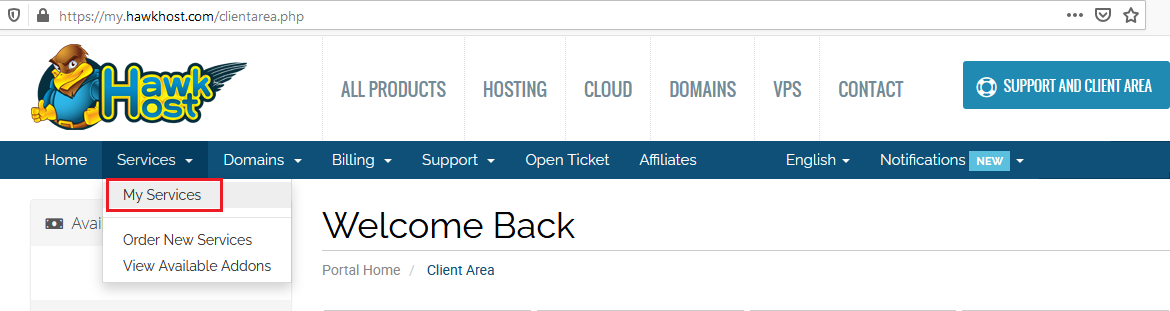
Log in to your client area and navigate to Services > My Services.
-
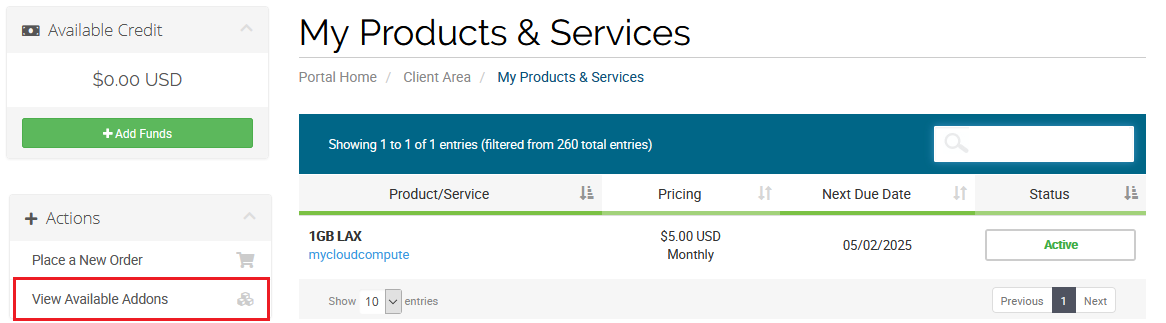
From your My Products & Services page, click View Available Addons from the Actions menu on the left side.
-
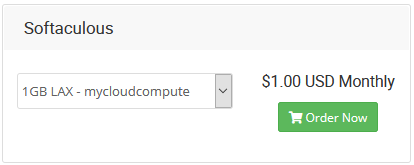
On the Product Addons page, find the Softaculous option. Select your service from the dropdown and click Order Now to complete the purchase.
Once purchased, follow the installation guide for your control panel: