
How do I change the nameservers on my domain?
If your domain is registered with a third-party registrar, consult their documentation for nameserver changes. For domains registered through Hawk Host:
Navigate to domain management
Section titled “Navigate to domain management”-
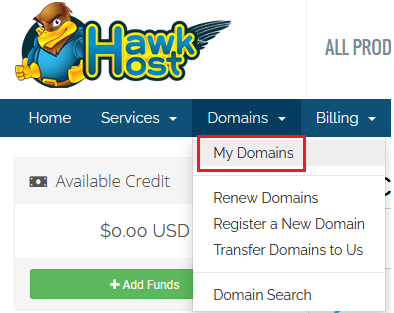
Log in to your client area and navigate to Domains > My Domains:
-
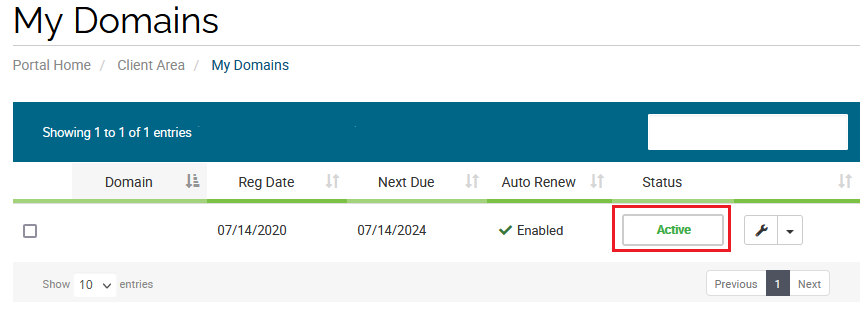
Find your domain and click the green Active button:
Update nameservers
Section titled “Update nameservers”-
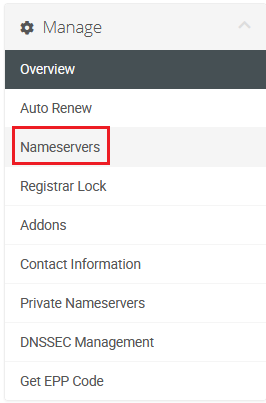
From the domain management page, click Nameservers in the Manage menu on the left:
-
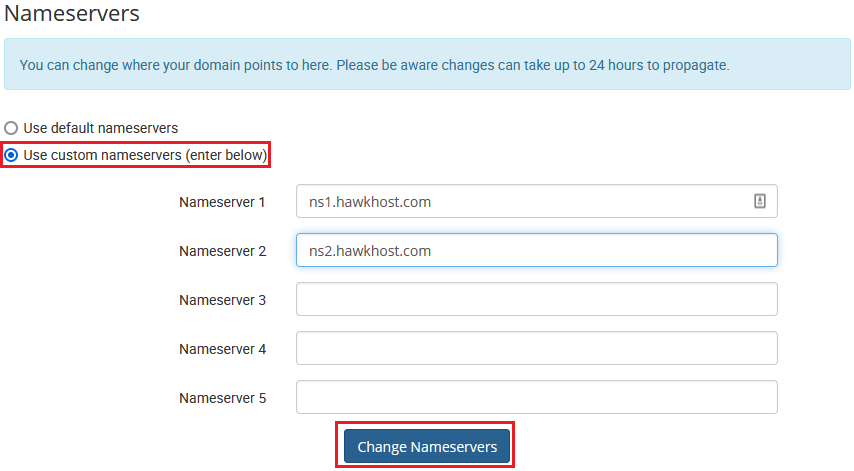
Select Use custom nameservers (enter below), enter your desired nameservers, and click Change Nameservers:
-
The nameserver changes will be accepted by the registry immediately. DNS propagation can take up to 24 hours. You can confirm the update by performing a WHOIS lookup on your domain.