
How do I enable WHOIS/ID protection on my domain name?
WHOIS/ID protection hides your personal contact details from public WHOIS lookups on your domain name. The fee is $3.00 per year per domain (non-refundable).
Navigate to domain addons
Section titled “Navigate to domain addons”-
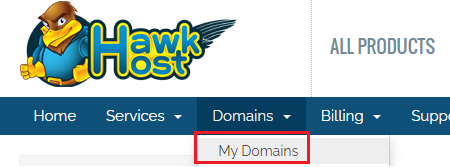
Log in to your client area and navigate to Domains > My Domains.
-
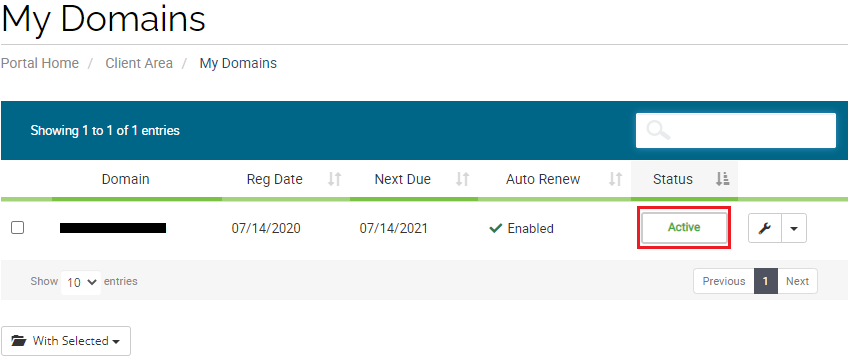
Click the green Active button next to the domain you want to modify.
-
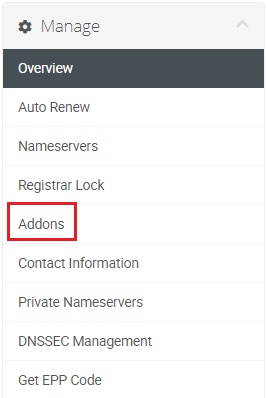
From the domain management page, click Addons in the left-side menu.
Purchase protection
Section titled “Purchase protection”-
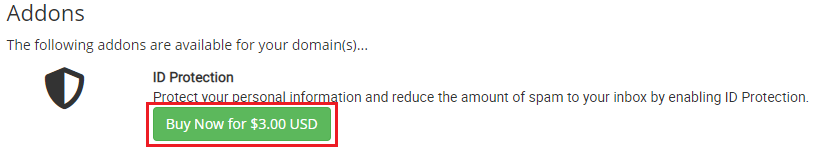
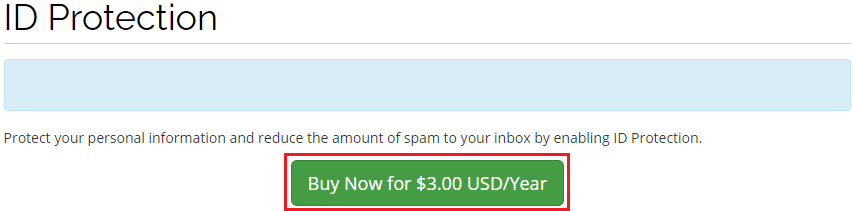
Click the Buy now for $3.00 USD button to purchase WHOIS/ID protection.
-
Confirm your purchase when prompted.
-
An invoice will be generated. Once payment is completed, WHOIS/ID protection is active. You can verify by visiting the Addons page again or by performing a WHOIS lookup on your domain.
To disable WHOIS/ID protection, see How do I disable WHOIS/ID protection on my domain name?