
Enabling/disabling Imunify360 Proactive Defense through cPanel
Proactive Defense is an Imunify360 feature that prevents malicious activity through PHP scripts. It analyzes script behavior using known patterns such as obfuscated command injection, malicious code planting, spam sending, and SQL injection. This feature is available on all shared, cloud web hosting, semi-dedicated, and reseller hosting plans.
Enabling Proactive Defense
Section titled “Enabling Proactive Defense”-
Log in to cPanel and search for Imunify360:

-
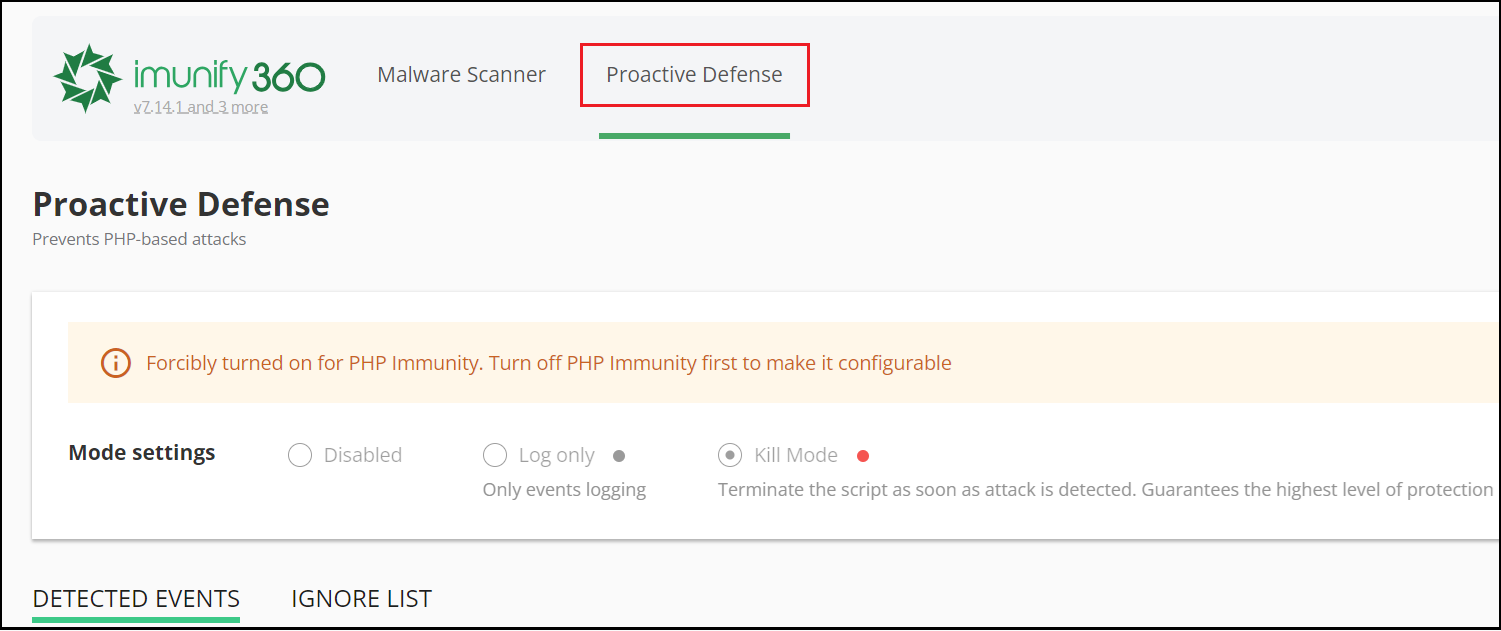
Select the Proactive Defense tab from the top menu:
Proactive Defense modes
Section titled “Proactive Defense modes”| Mode | Behavior |
|---|---|
| Disabled | Proactive Defense is not active |
| Log Only | Detects and logs malicious PHP scripts but takes no action |
| Kill Mode | Immediately kills malicious PHP scripts and logs events |
Managing detected events
Section titled “Managing detected events”When Kill Mode is enabled, detected events appear under Detected Events with the following actions:
- View file content — View the code of the malicious PHP script
- Move IP to the Black List — Block the IP that called the script
- Move file to Ignore List (ignore detected rule) — Exclude the file from analysis for a specific rule (useful for false positives)
- Move file to Ignore List (ignore all rules) — Exclude the file from all Proactive Defense rules
- Remove file from Ignore List — Re-enable detection on a previously ignored file
For more details, see the Imunify360 Proactive Defense documentation.