
How do I create FTP accounts through cPanel?
All cloud web hosting, semi-dedicated, and reseller hosting plans allow unlimited FTP accounts.
Creating an FTP account
Section titled “Creating an FTP account”-
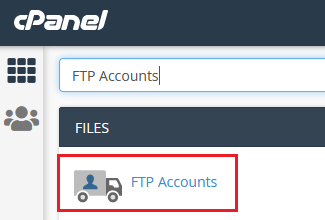
Log in to cPanel and search for FTP Accounts:
-
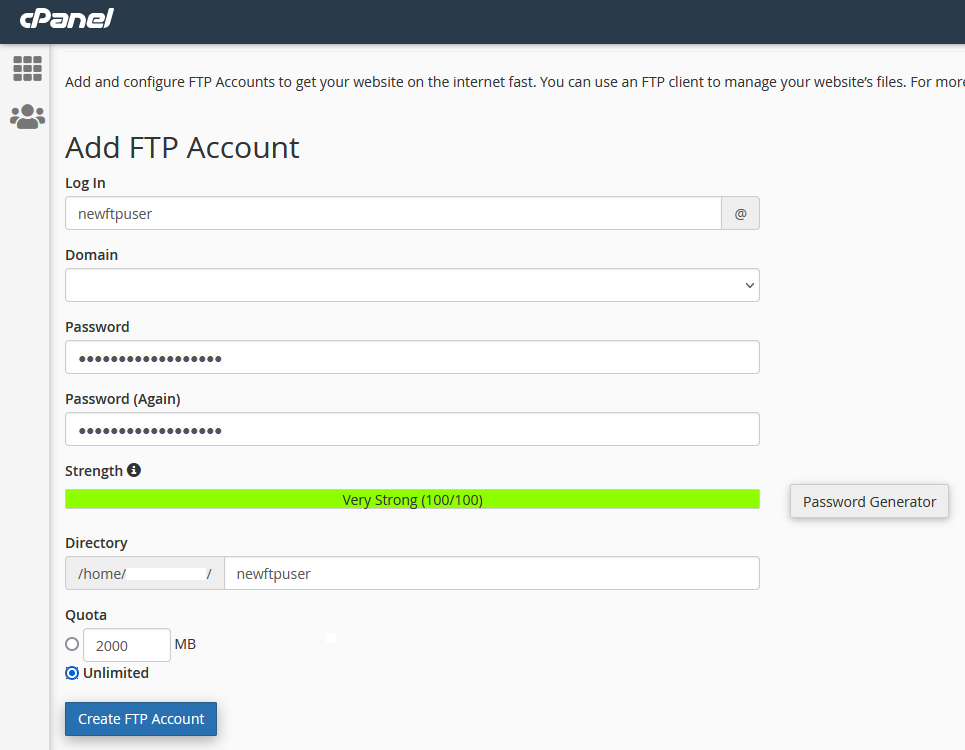
Fill out the fields to create your new FTP user:
Field Description Log In Your FTP username Domain Select the domain this user should be tied to Password A strong password with at least 12 characters Directory The default directory the FTP user will connect to Quota Maximum total file storage allowed for this FTP user -
Click Create FTP Account:
-
Your new FTP account will appear under the FTP Accounts section:
