
How do I mass install my free Let's Encrypt SSL certificates?
All shared, reseller, and semi-dedicated hosting services with Hawk Host allow you to mass install free and trusted SSL certificates from Let’s Encrypt. Our servers have AutoSSL enabled, meaning we will attempt to automatically install an SSL certificate on your domains. However, you can also mass install your certificates manually through cPanel with a few clicks.
Installing Let’s Encrypt SSL via AutoSSL
Section titled “Installing Let’s Encrypt SSL via AutoSSL”Step 1: Log In to cPanel
Section titled “Step 1: Log In to cPanel”Log in to cPanel for your account. Login details can be found in your client area.
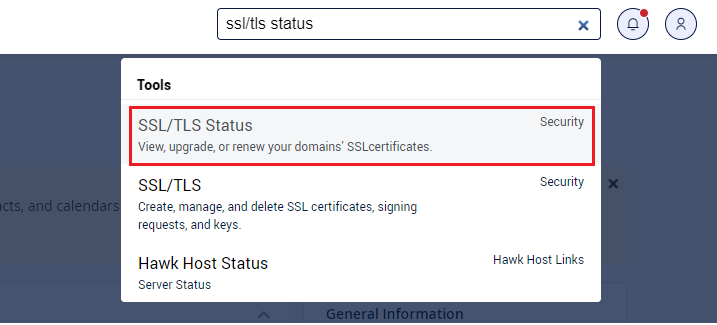
Step 2: Open SSL/TLS Status
Section titled “Step 2: Open SSL/TLS Status”Once logged in, search for the SSL/TLS Status interface and click on it.
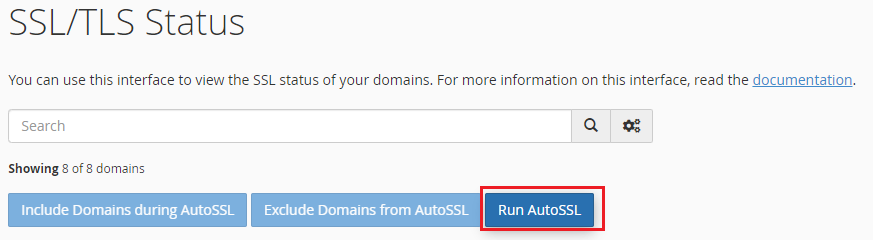
Step 3: Run AutoSSL
Section titled “Step 3: Run AutoSSL”By default, all of your domains will be included in AutoSSL. To install an SSL certificate on all eligible domains, click the Run AutoSSL button.
Step 4: Wait for Installation
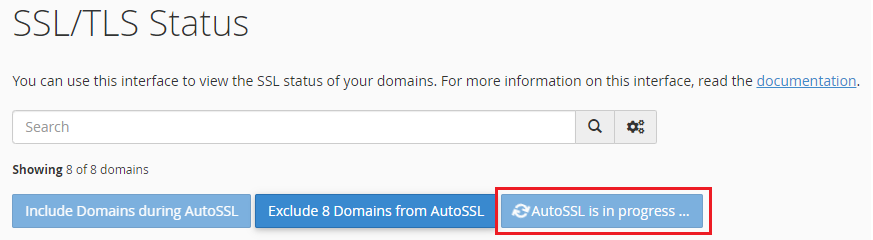
Section titled “Step 4: Wait for Installation”cPanel will change the status of your SSL installations to AutoSSL is in progress…. This can take up to 10 minutes to complete.
Step 5: Verify Installation
Section titled “Step 5: Verify Installation”When the process completes, the button will change back to Run AutoSSL. Your domains should display a new status of AutoSSL Domain Validated for a successful installation. You can also visit your domains in your browser over https:// to confirm a valid certificate is installed.
Troubleshooting
Section titled “Troubleshooting”If AutoSSL fails for a domain, check the following:
- The domain’s DNS must be pointed to Hawk Host’s nameservers or the domain’s A record must resolve to your hosting account’s IP address.
- CAA DNS records may be blocking issuance. See CAA DNS error when installing Let’s Encrypt for more information.