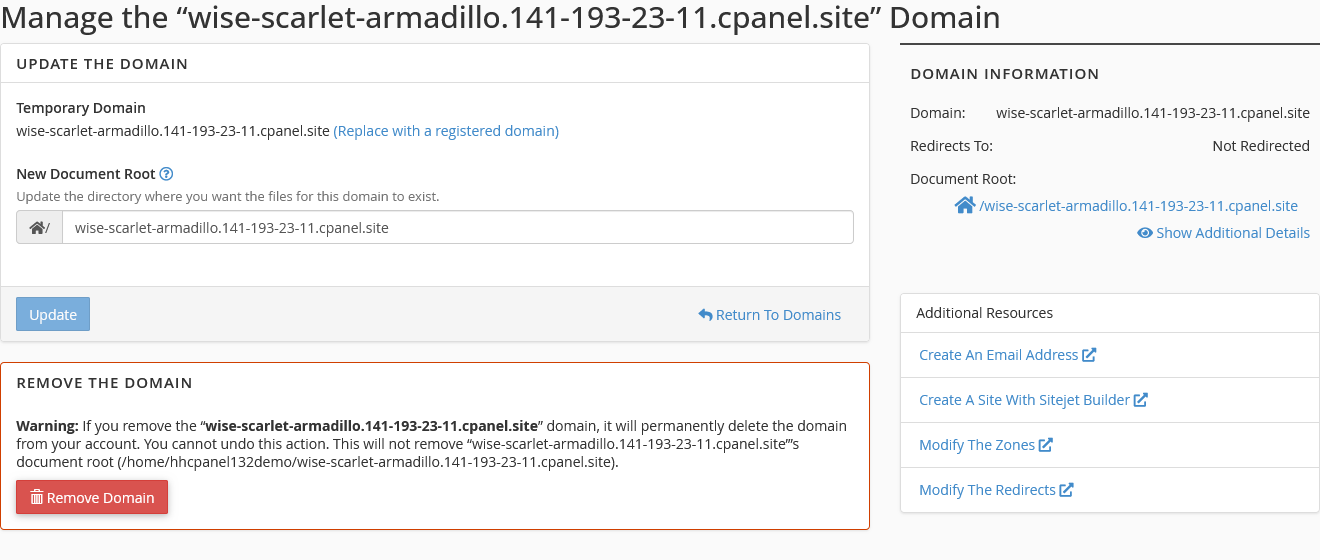
Temporary Domains
cPanel allows you to create temporary add-on domains before you are ready to move over to your production website. Temporary domains cannot be used as permanent addresses, but they are excellent for building and testing your site when you are not yet ready to launch.
Creating a Temporary Domain
Section titled “Creating a Temporary Domain”-
Log in to cPanel and navigate to the Domains interface.
-
Click Create A New Domain.
-
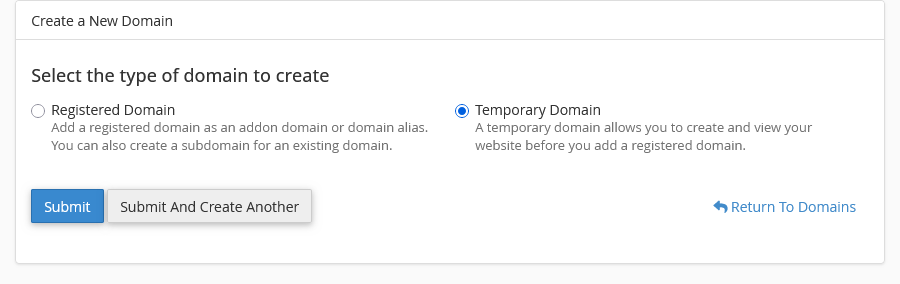
On the create a new domain interface, you will see the option to create a temporary domain, which will generate a random domain for you.
-
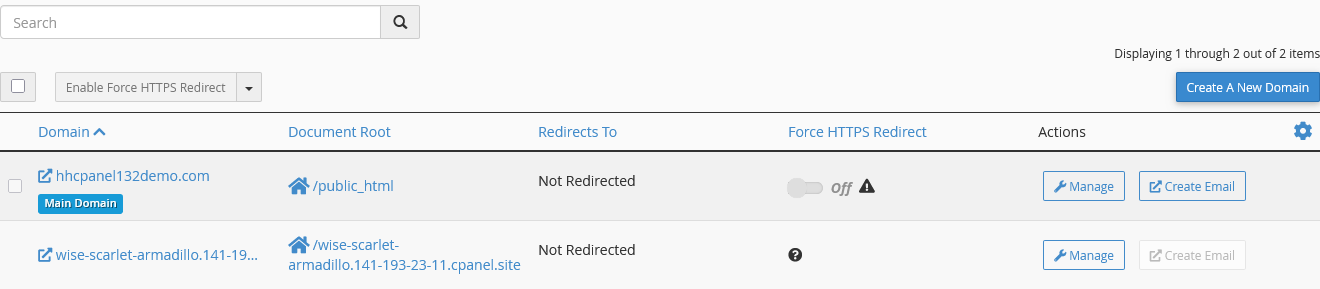
Once you have created your temporary domain, you will be provided with an address that you can visit.
Temporary Domain Notice
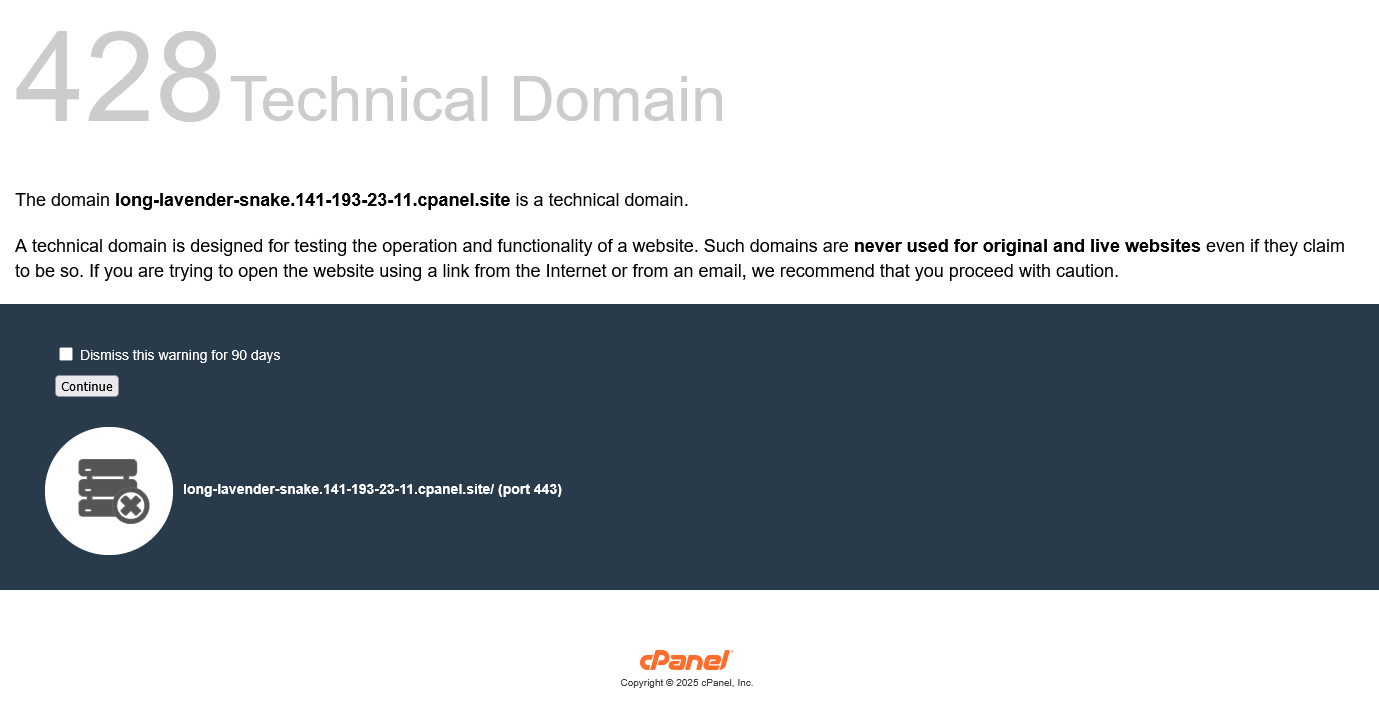
Section titled “Temporary Domain Notice”When visiting the temporary domain, visitors will see a notice advising that it is a technical domain intended for testing purposes only, not for use on a live website. Anyone who visits the temporary domain will see this warning on their first visit.
Replacing a Temporary Domain with a Production Domain
Section titled “Replacing a Temporary Domain with a Production Domain”Once you have built your website and are ready to go live:
- Navigate to the Domains interface in cPanel.
- Click Manage on the temporary domain.
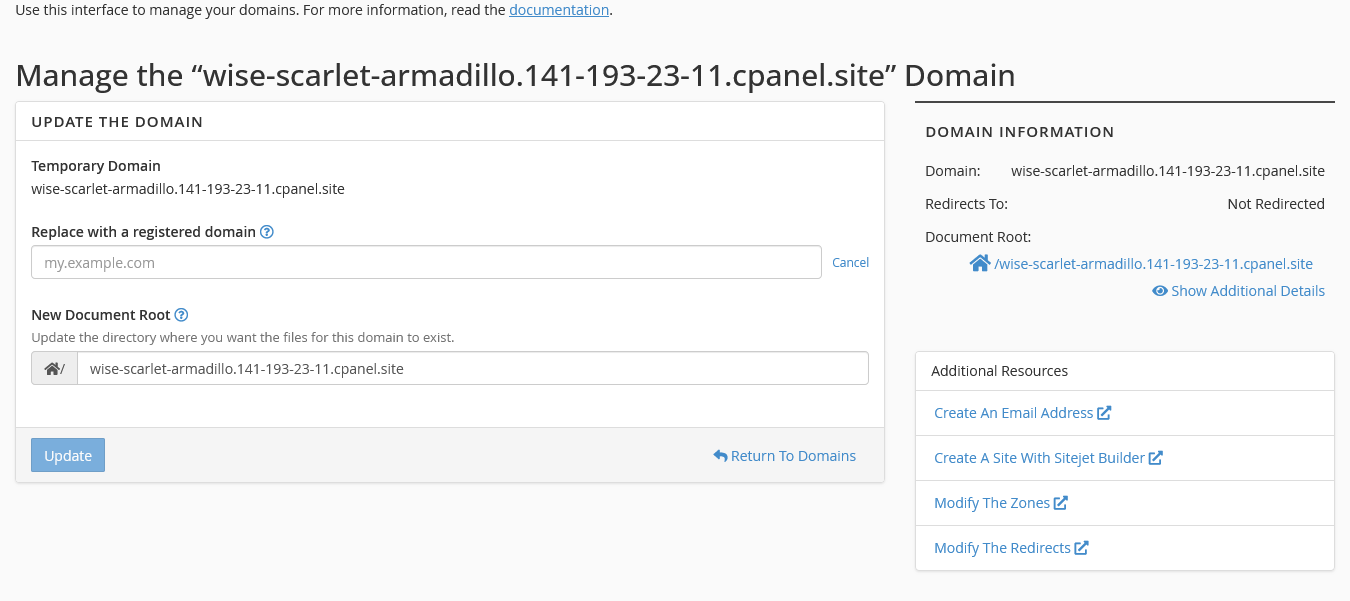
- Click the Replace with a registered domain option.
- Enter the production domain you wish to use.