
How do I reset an email address password?
To reset the password of an individual email address or email account, follow the steps below.
Step 1: Open Email Accounts
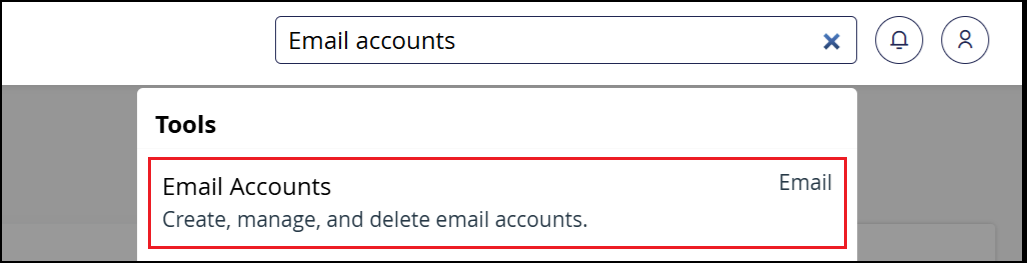
Section titled “Step 1: Open Email Accounts”Log in to cPanel and use the search bar to locate the Email Accounts interface.
Step 2: Select the Email Account
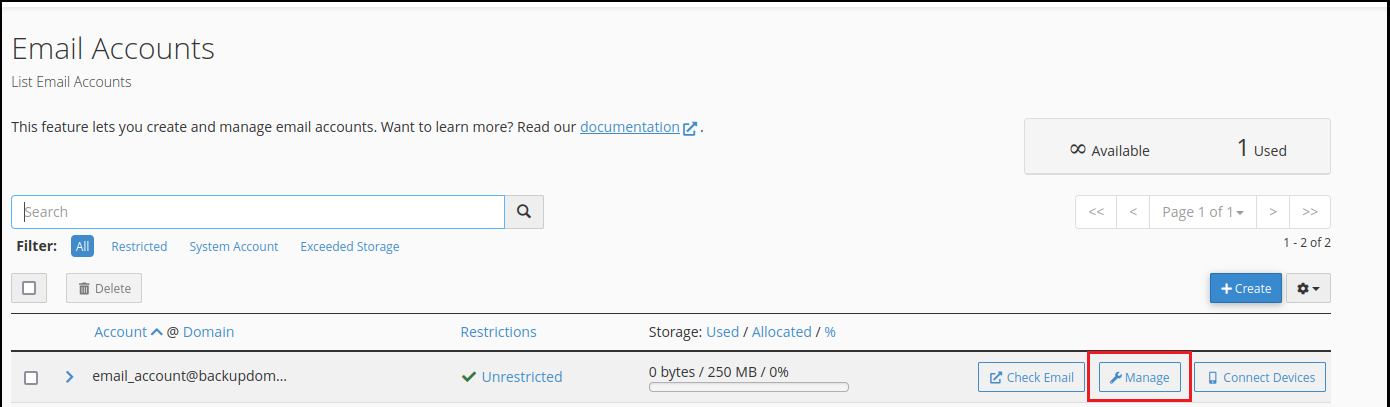
Section titled “Step 2: Select the Email Account”From the Email Accounts interface, locate the email address whose password you need to reset and click the Manage button to the right of the address.
Step 3: Enter a New Password
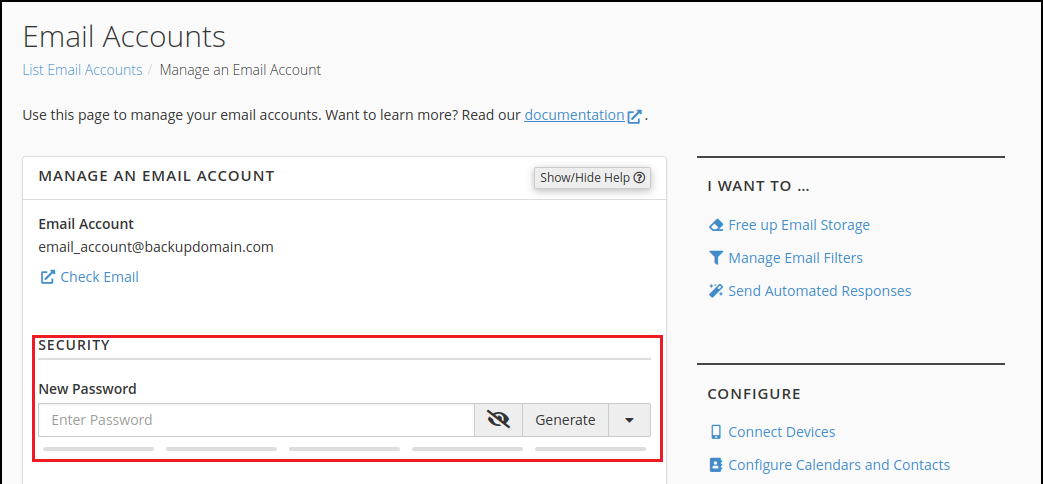
Section titled “Step 3: Enter a New Password”On the Manage page, scroll to the Security section. You will see a form to enter a new password. Enter your new password into the form.
Step 4: Save Changes
Section titled “Step 4: Save Changes”Scroll down and click Update Email Settings to save your new password.
Related Articles
Section titled “Related Articles”- How do I create or configure email addresses?
- How do I use webmail?
- How do I get to webmail without using cPanel?
If you encounter any issues with this reset process, contact our support team at support@hawkhost.com or submit a support ticket with details of any errors you encountered.