
How do I change my PHP version?
Available PHP Versions
Section titled “Available PHP Versions”All shared, cloud web hosting, semi-dedicated, and reseller hosting plans offer the following PHP versions:
| PHP Version | Status |
|---|---|
| PHP 4.4 | EOL |
| PHP 5.1, 5.2, 5.3, 5.4, 5.5, 5.6 | EOL |
| PHP 7.0, 7.1, 7.2, 7.3, 7.4 | EOL |
| PHP 8.0 | EOL |
| PHP 8.1, 8.2, 8.3, 8.4, 8.5 | Supported |
Changing Your PHP Version
Section titled “Changing Your PHP Version”-
Log in to cPanel for your account.
-
In the search bar, type Select PHP Version and click the interface icon.
-
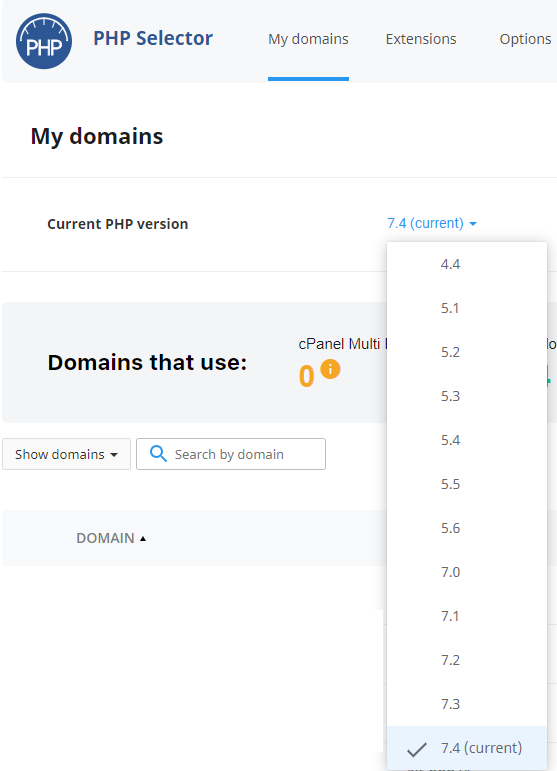
From the Select PHP Version interface, use the My Domains tab to select your new default PHP version:
-
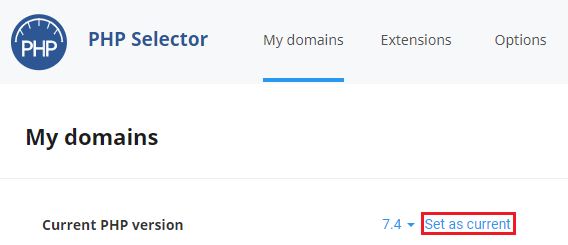
Select your desired PHP version and then click Set as current:
Additional Options
Section titled “Additional Options”From the Select PHP Version interface you can also:
- Enable/disable PHP extensions for your selected PHP version under the Extensions tab.
- Modify php.ini settings (such as
memory_limit,upload_max_filesize,max_execution_time) using the Options tab.
For more details, see How do I adjust PHP options? and How do I enable PHP extensions?.
Applying to Addon Domains
Section titled “Applying to Addon Domains”For PHP version changes to take effect on all addon domains, make sure your domains are set to the inherit setting through the MultiPHP Manager interface in cPanel.