
Resolving WordPress utf8mb4 errors
When updating your WordPress version or PHP version, you may see the following notice related to UTF8MB4:
UTF8MB4 is the character set WordPress prefers for database storage because it safely supports the widest set of characters and encodings, including Emoji, enabling better support for non-English languages.
Your MariaDB version supports utf8mb4.
WordPress’ utf8mb4 support requires MySQL client library (libmysql) version 5.5.3 or newer. Please contact your server administrator.
This issue can be resolved by switching to the nd_mysqli PHP extension.
How to Fix the UTF8MB4 Error
Section titled “How to Fix the UTF8MB4 Error”-
Log in to cPanel and search for the Select PHP Version interface.

-
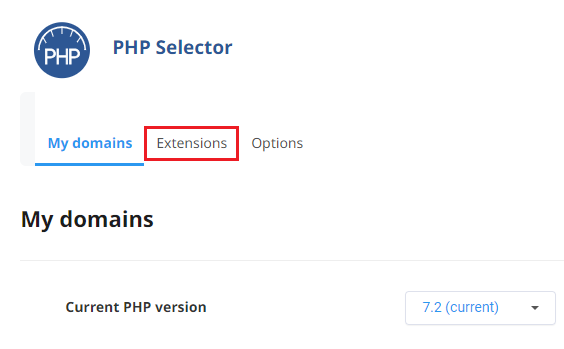
From the Select PHP Version interface, click the Extensions tab.
-
In the list of PHP extensions:
- Enable the
nd_mysqliextension - Disable the
mysqliextension
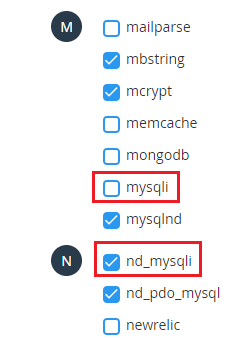
- Enable the
The UTF8MB4 notice should no longer appear on your WordPress installation.
If you continue to experience issues, please email support@hawkhost.com or open a ticket at https://my.hawkhost.com/submitticket.php.