
Accessing SpamExperts and creating separate SpamExperts users
All cloud web hosting, semi-dedicated, and reseller hosting services include enterprise-level email spam filtering through SpamExperts. If you have not yet enabled SpamExperts on your account, refer to Enabling SpamExperts through cPanel first.
Accessing SpamExperts through cPanel
Section titled “Accessing SpamExperts through cPanel”-
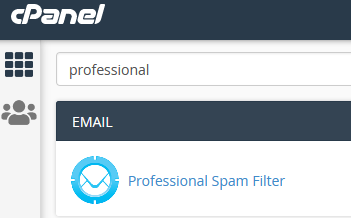
Log in to cPanel and search for Professional Spam Filter:
-
Click the Login button to the right of the domain you want to manage:

-
You will be redirected to the SpamExperts web interface as the primary domain user. From here you can manage all SpamExperts settings, train filters, release quarantined emails, and more.
Creating separate SpamExperts users for external access
Section titled “Creating separate SpamExperts users for external access”If you need to give someone access to SpamExperts without sharing your cPanel credentials, you can create a separate SpamExperts user account.
-
Log in to cPanel and search for Professional Spam Filter:
-
Click the Login button to the right of the domain:
-
You will be redirected to the SpamExperts web interface as the primary domain user.
-
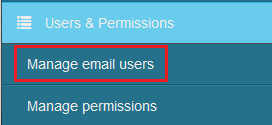
In the bottom-left menu titled Users & Permissions, click Manage Email Users:
-
Click the Add button:

-
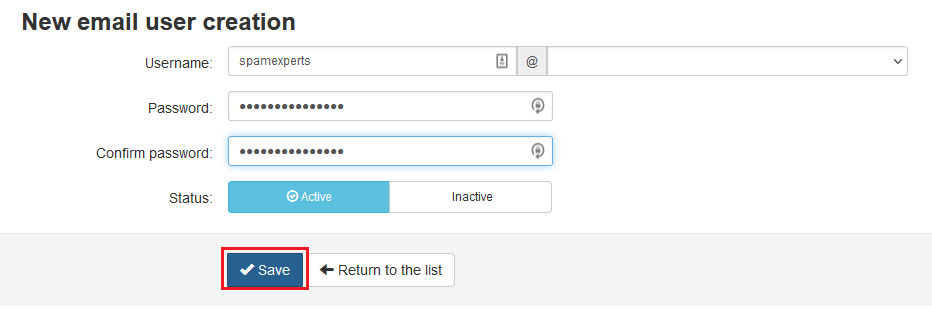
Fill out the username, password, and status fields:
-
Click Save to create the new SpamExperts user.
-
The new user can now log in directly at https://se001.arandomserver.com without needing cPanel access.