
What is the Performance Boost feature? Temporary Resource Upgrades (CPU|RAM|IO|Processes)
Hawk Host offers the Performance Boost feature on our shared hosting plans*, allowing you to temporarily** boost your account’s CPU, RAM/memory, disk IO, and process limits for 24 hours. Common uses for Boost include an unexpected surge in website traffic, an upcoming feature launch or announcement that will bring more traffic to your site, or a desire to test how an upgrade would impact your website’s performance.
To apply a Boost to your website:
-
Log in to your client area
-
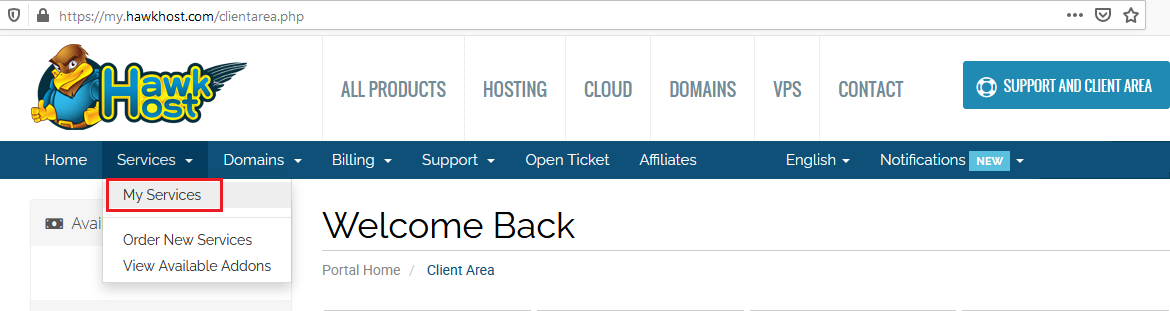
Navigate to Services > My Services from the main menu:
-
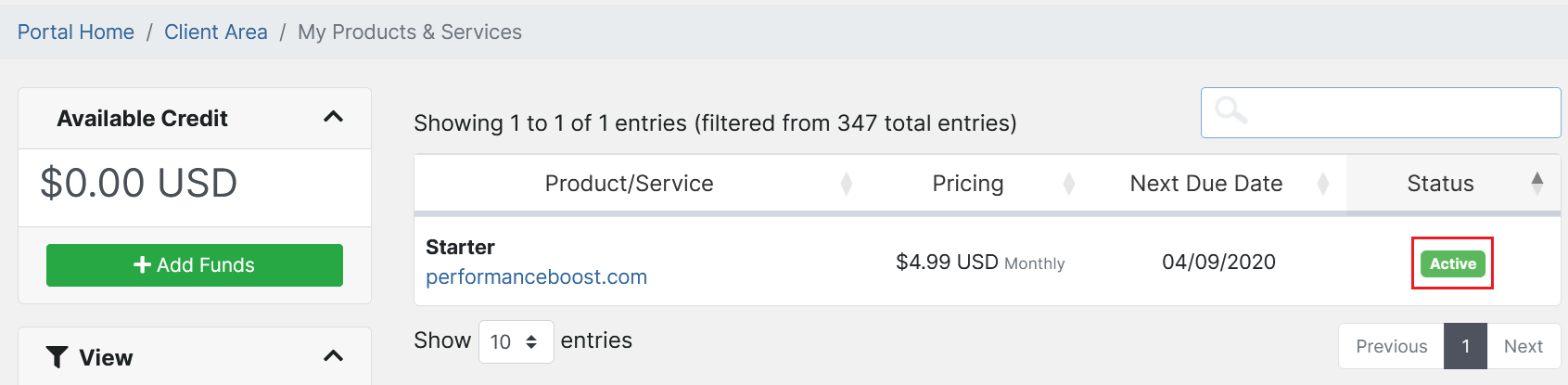
On the My Products & Services page, click the green Active button to the right of your hosting service you will apply the Performance Boost:
-
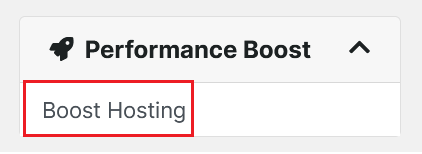
On the hosting service product details page, look for the Performance Boost menu on the middle-left side of your page, and click Boost Hosting:
-
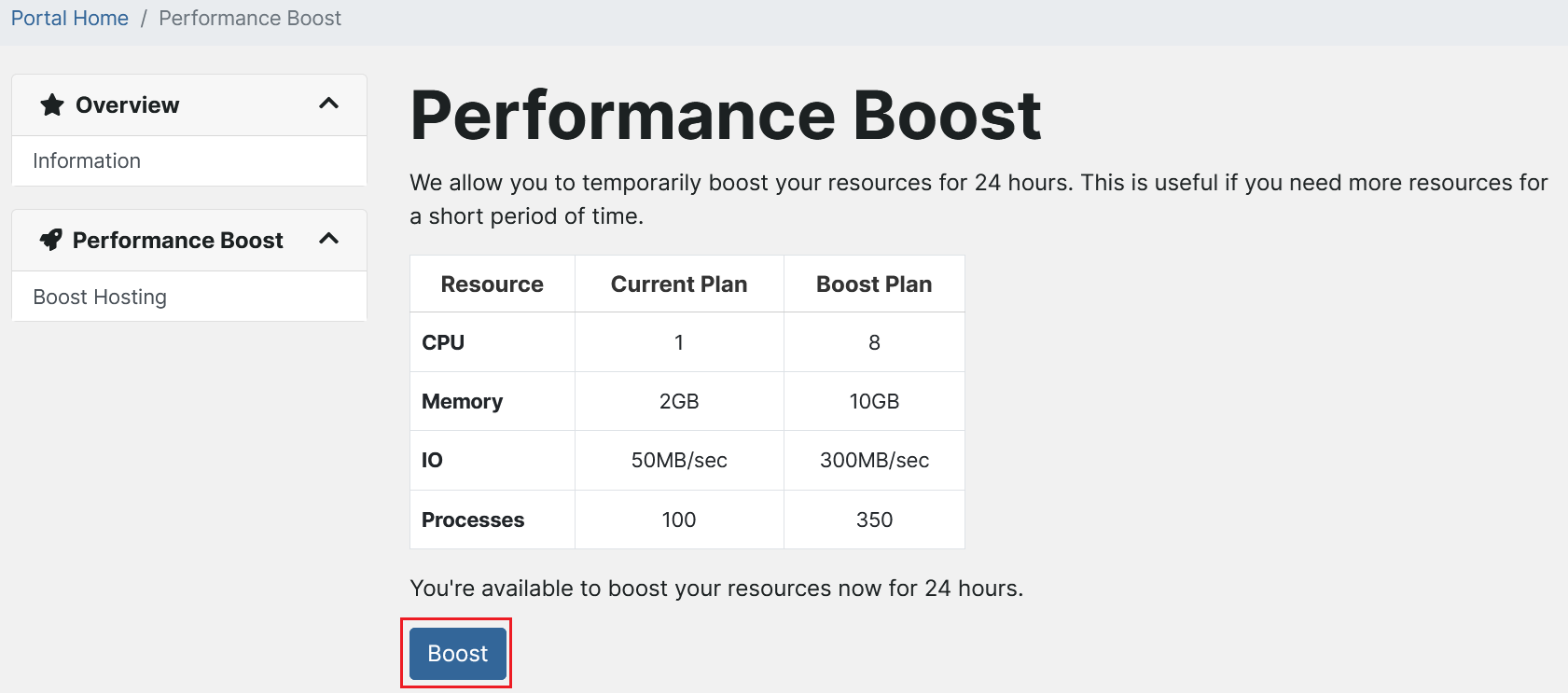
On the Performance Boost page, you will see a table showing the upgrade you’ll receive. Click Boost to continue:
-
If the Boost has applied successfully, you’ll see the following confirmation notice:
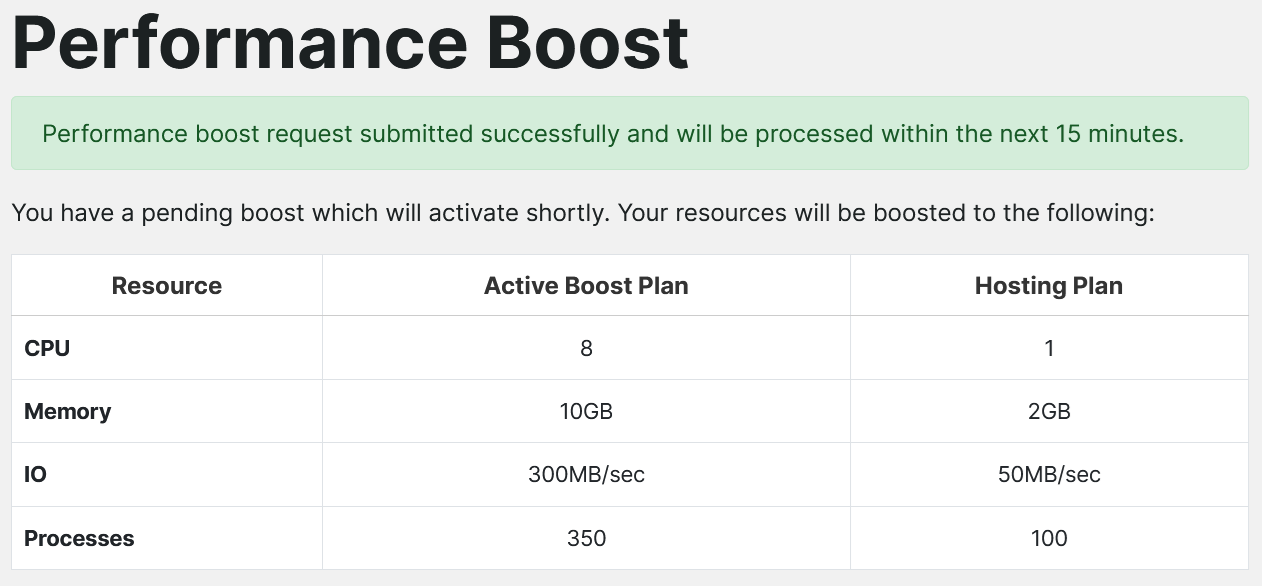
Your hosting service will now be temporarily upgraded (Boosted) for 24 hours. You can confirm the upgrade was applied by logging into cPanel and viewing your right-hand side Statistics menu, or go to the Resource Usage interface to see increased CPU, RAM, and IO values.
Want to make this a permanent upgrade? Our KB article on How to Upgrade your Shared Hosting will walk you through the steps of permanently adding upgraded resources to your hosting!
*Legacy Primary, Professional, Professional+, and modern Max plans are not eligible for Boost. Max plan is already the highest tier shared hosting package Hawk Host offers.
**Performance Boost lasts for 24 hours, and can be used once per 30 day period. Contact Support to request additional Boosts within a 30 day period.