How to Configure LiteSpeed in cPanel/WHM
Once Litespeed is installed in cPanel/WHM environments, you still need to configure it, as it listens on an alternative port by default.
-
In WHM, navigate to Litespeed Web Server
-
On the main page, you will note a warning about it either not listening on port 80/443 or not running at all

-
You can fix this by navigating to Switch between Apache and LiteSpeed and selecting the Switch to LiteSpeed option

-
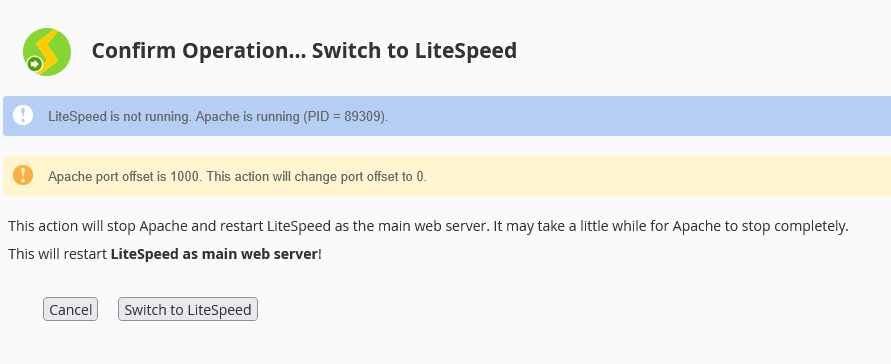
On the next page, you will note the confirmation to switch to LiteSpeed. You will need to click the Switch to LiteSpeed option to complete the switch.
-
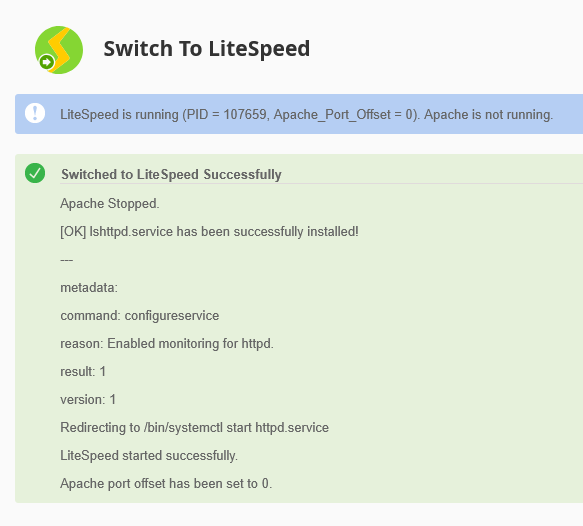
Once completed, you should see a message like the one below confirming that LiteSpeed is now running and Apache is not.