
How do I pay my invoice with a credit card?
Hawk Host currently accepts credit card payments for all services. All payments are securely processed and no card details are stored on our servers.
Cards Accepted
Section titled “Cards Accepted”- Visa
- Mastercard
- American Express
- Discover
- JCB
- Diners Club
- China UnionPay
- Debit cards with Visa or Mastercard logo
How to pay with credit card
Section titled “How to pay with credit card”-
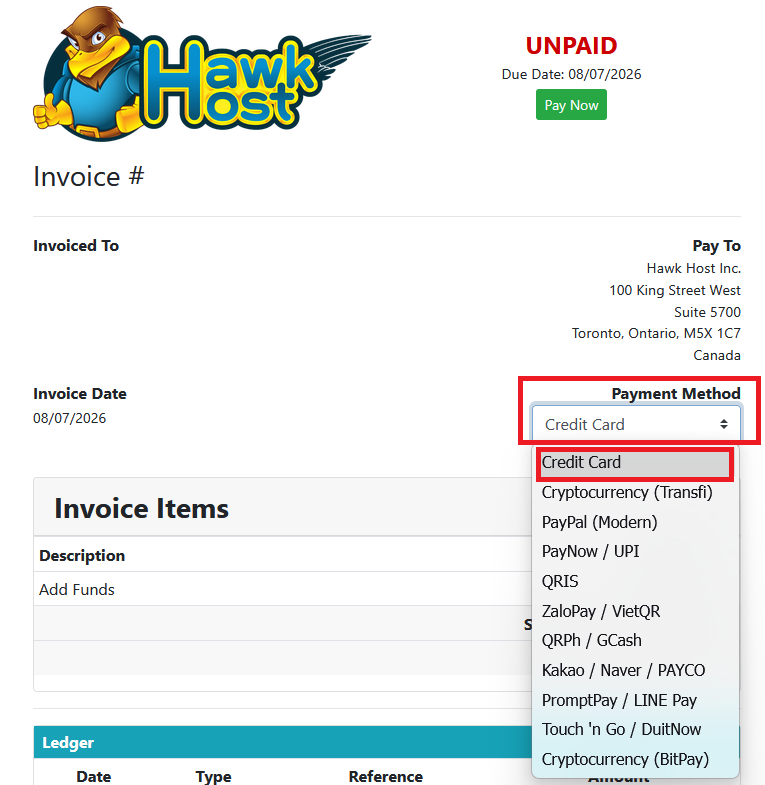
Open your invoice in the client area or from your new order checkout. In the payment method dropdown, select Credit Card.
-
Click the green Pay Now button.
-
You will be redirected to our credit card payment page.
-
Once on the credit card payment page you can enter your card details and complete the payment.
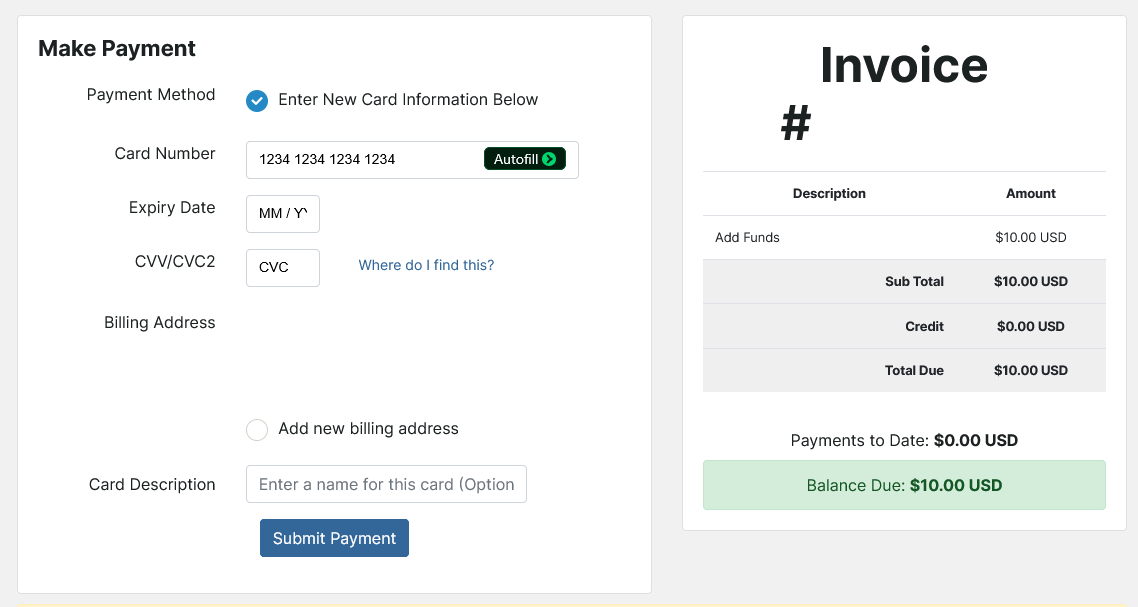
You will be asked for the following pieces of information
- Card number
- Expiry date
- CVV
- Billing address (You can use your current or enter a new billing address)
- Card description (optional)
If you experience any issues, email billing@hawkhost.com or submit a ticket with a screenshot of the error and a description of the problem.