
How to pay an invoice with Alipay
Hawk Host currently accepts Alipay payments for all services. Alipay cannot be used to add funds to your account; it can only be used to pay invoices that contain services due for renewal.
How to pay with Alipay
Section titled “How to pay with Alipay”-
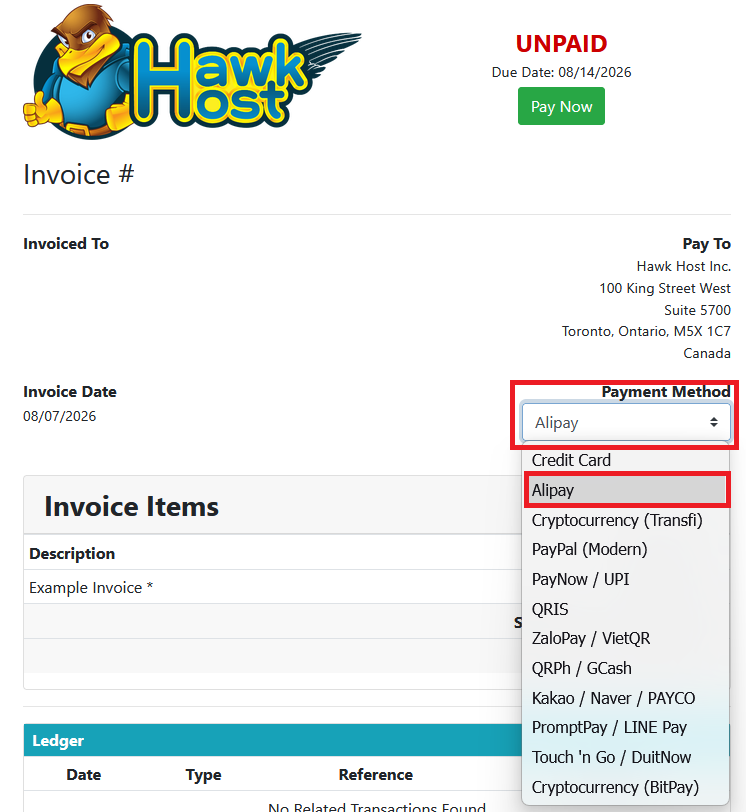
Open your invoice in the client area or from your new order checkout. In the payment method dropdown, select Alipay.
-
Click the green Pay Now button.
-
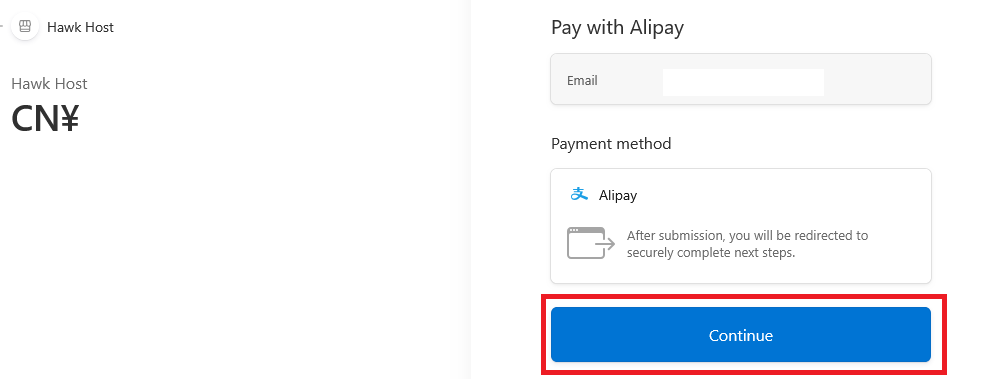
You will be redirect to our Alipay payment page
-
You will be presented with the amount in CNY (Chinese Yuan) and you will need to click Continue to proceed.
-
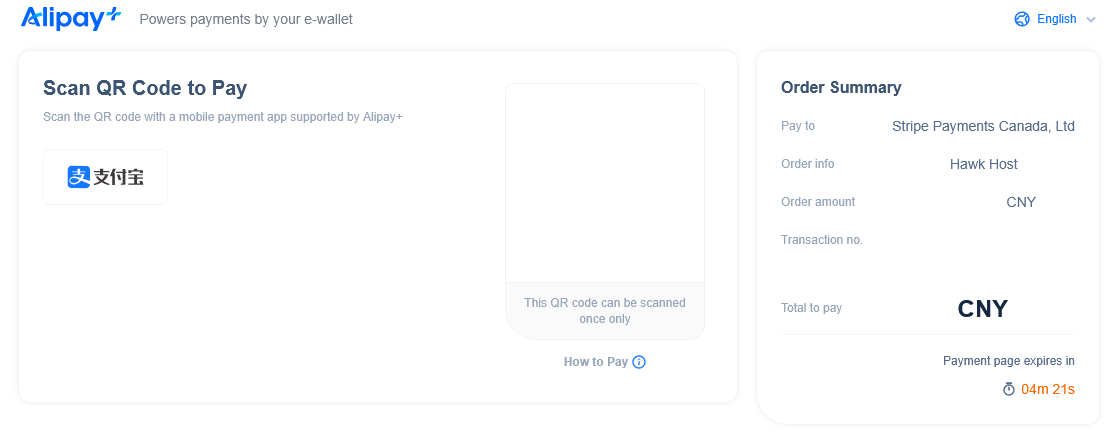
You will be redirected to Alipay where you scan the QR code to complete the payment.
If you experience any issues, email billing@hawkhost.com or submit a ticket with a screenshot of the error and a description of the problem.