
How do I generate a full cPanel backup?
cPanel allows the ability to generate a complete backup of your account, which can be restored on any other cPanel server. cPanel allows you not only to store backups on your account but also to send them to a remote destination.
You can generate a full backup using the following steps.
-
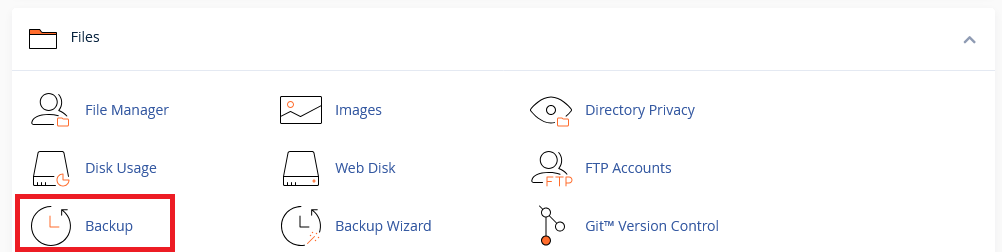
Log in to cPanel and search for Backup (also listed under Files section of cPanel).
-
Under Full Backup click the Download a Full Account Backup option.

-
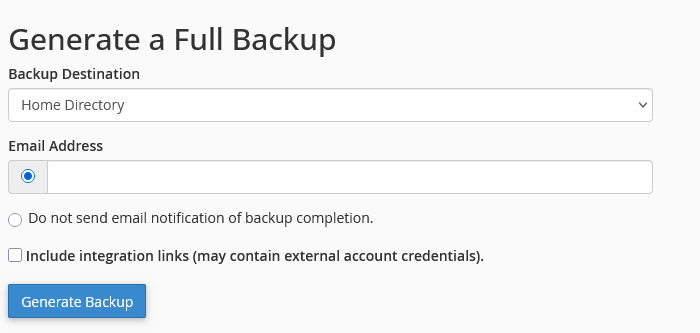
Fill out your preferred destination and email address if you wish to be notified when the backup is complete.
-
Your backup will now generate in the background. It can take anywhere from a few minutes to a few hours, depending on the size of your account. If you selected a backup destination for your “Home Directory,” will there be a link on this page to download it, or can you retrieve it directly via SFTP/FTP.