
How to Generate a WHM API Token
On all Hawk Host reseller accounts, you have access to the WHM API Token system, which allows you to connect and perform operations without logging into WHM. The WHM API Token is typically used by billing systems such as WHMCS or Blesta, but it can also be used by custom software.
Generating a WHM API Token
Section titled “Generating a WHM API Token”-
Log in to WHM and search for API Token (listed under Security).
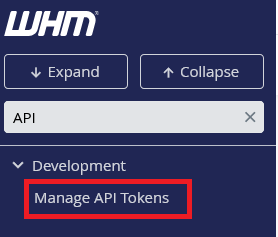
-
Click Generate a New Token.
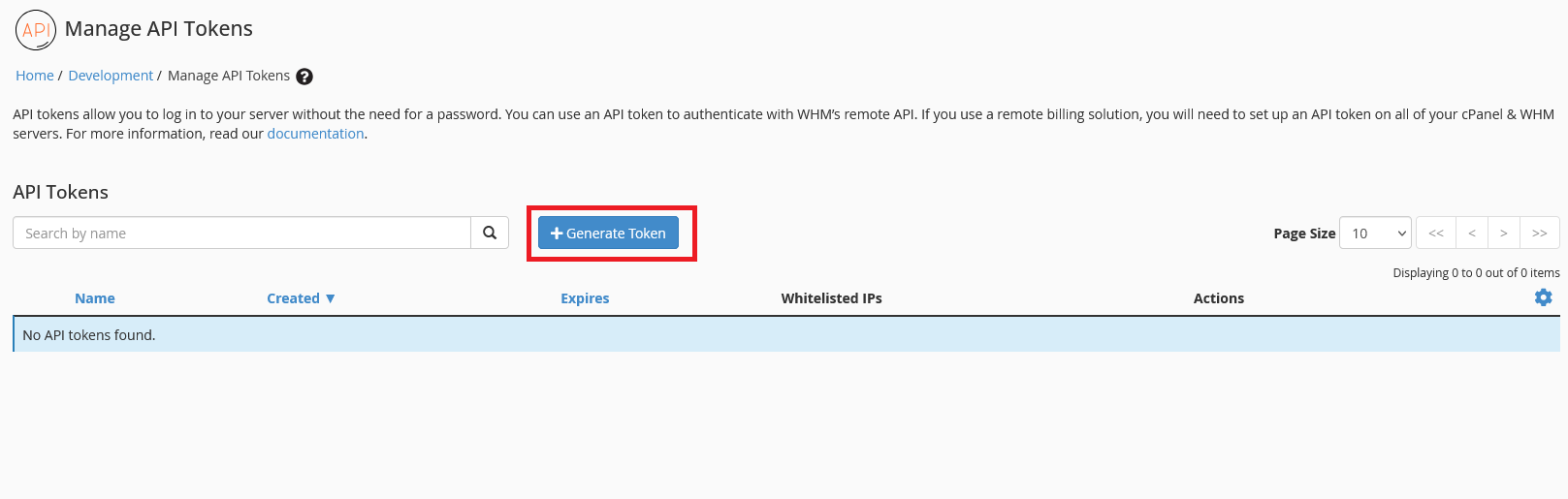
-
Enter a name, for the token, Whitelisted IPs (optional), and select the permissions you want to grant.
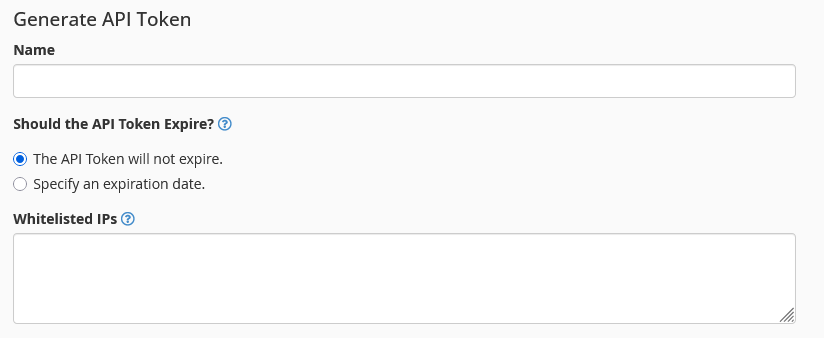
-
Click Save at the bottom of the page.
-
Copy the token (it will only be shown once) and store it in a secure location.
Lost WHM API Token
Section titled “Lost WHM API Token”If you lose your WHM API token, you can generate a new one. However, the old token will still work until it is revoked.
To revoke a token, go to the API Token section in WHM and click the Revoke button next to the token you want to revoke.
WHM API Functions
Section titled “WHM API Functions”The WHM API provides a wide range of functions that can be used to automate tasks such as creating cPanel accounts, suspending accounts, and managing packages. You can find the full list of available functions in the WHM API Documentation.