
How do I pay my invoice with PayPal
Hawk Host currently accepts PayPal payments for all services. You can also link your PayPal account to your Hawk Host account for easier future payments.
How to pay with PayPal
Section titled “How to pay with PayPal”-
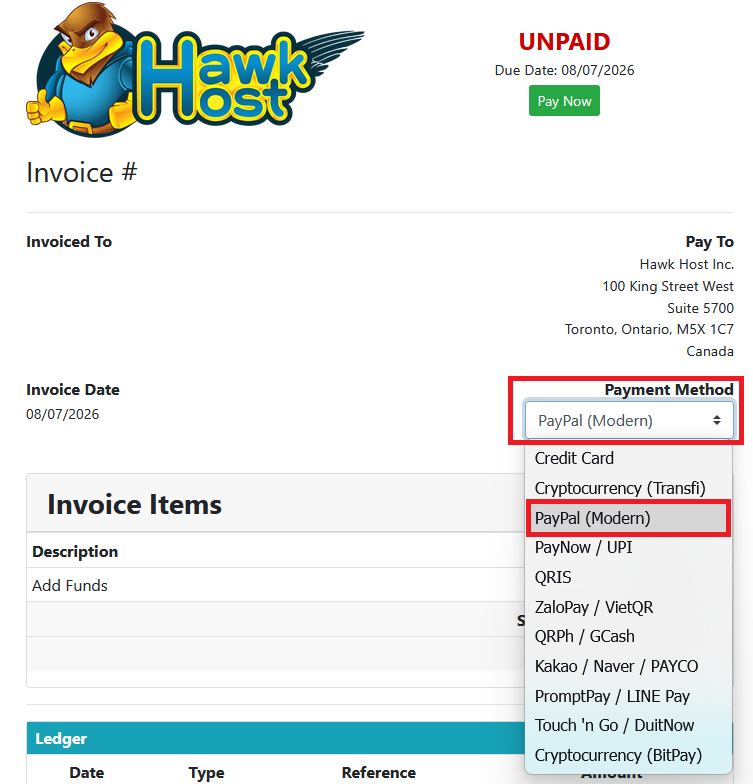
Open your invoice in the client area or from your new order checkout. In the payment method dropdown, select PayPal.
-
Click the green Pay Now button.
-
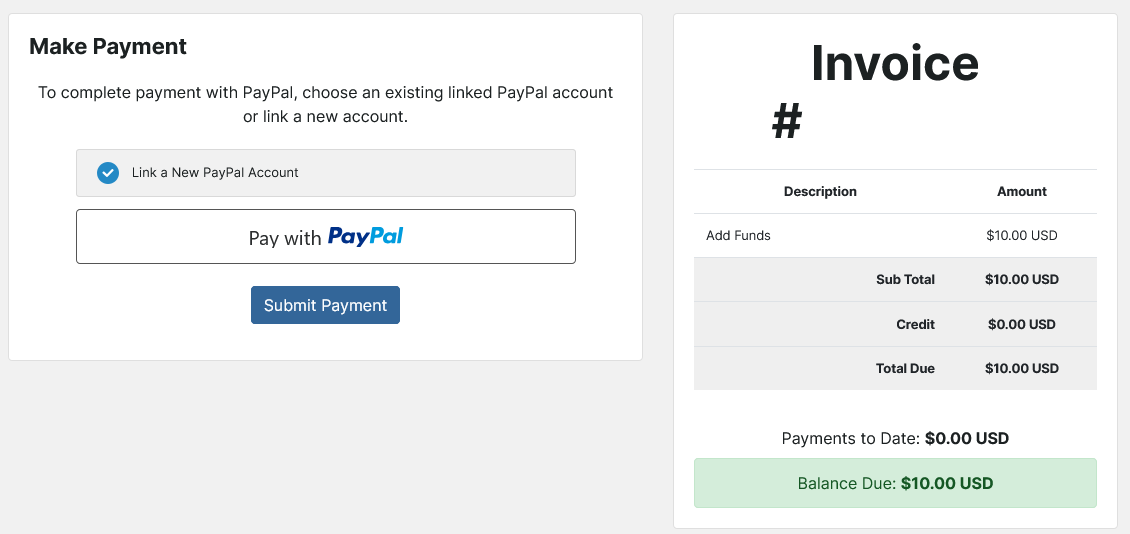
You will be redirect to our PayPal payment page
-
You will have an option to either pay with an existing PayPal linked to your account or to link a new PayPal account
-
For a new account you will click the Pay with PayPal button and follow the prompts.
If you experience any issues, email billing@hawkhost.com or submit a ticket with a screenshot of the error and a description of the problem.