
How to Use Different PHP Versions on Different Domains
Hawk Host supports a variety of PHP versions. We also offer the ability to override the PHP version in cPanel or by .htaccess for each individual domain on your web hosting account.
Using cPanel
Section titled “Using cPanel”- Log in to your cPanel account.
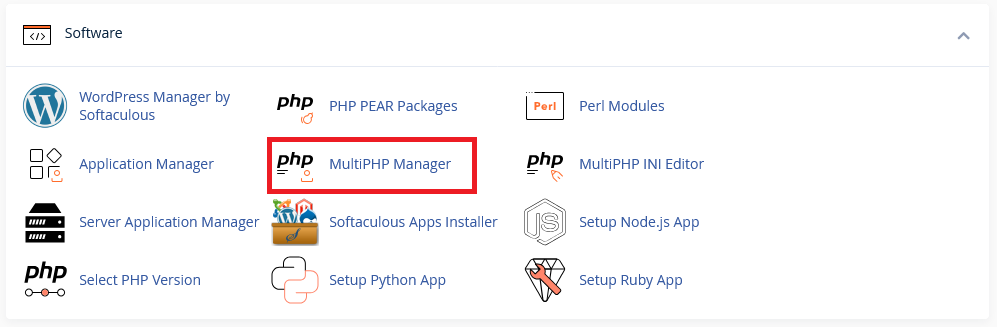
- Navigate to the “MultiPHP Manager” section under “Software”.
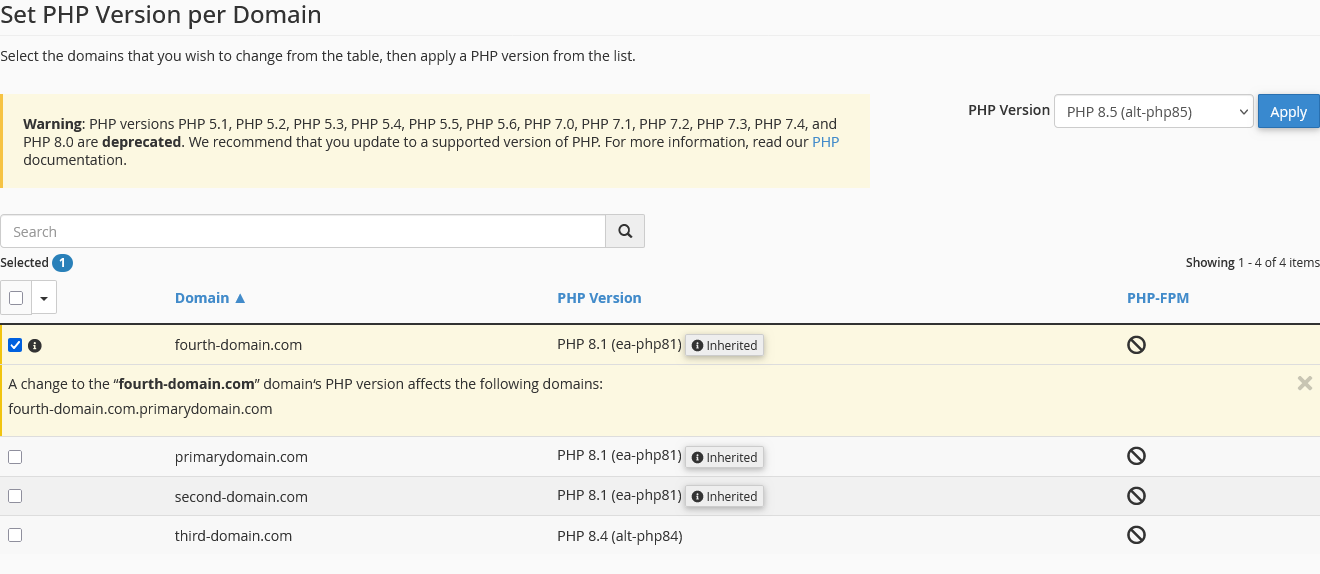
- Select the domain you want to change the PHP version for.
- Select the PHP version you want to use.
- Click “Save”.
Using .htaccess
Section titled “Using .htaccess”To use a different PHP version for a specific domain using .htaccess, add the following line to your .htaccess file:
<IfModule mime_module> AddHandler application/x-httpd-alt-php84 .php .php8 .phtml</IfModule>Replace php84 with the PHP version you want to use. You can find the available PHP versions and their paths in our Available PHP Versions guide.