
How to Reset a WordPress Admin Password
Hawk Host lets you change your WordPress admin password from cPanel without any technical knowledge. You can also change the password using WP-CLI.
WordPress Management Method
Section titled “WordPress Management Method”-
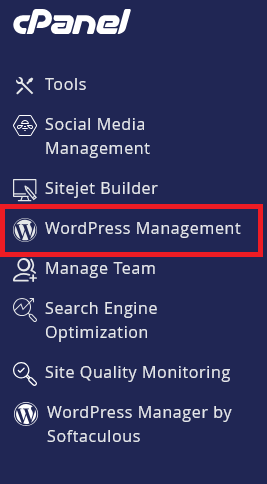
Log in to cPanel and search for WordPress Management:
-
Click on WordPress Management to open the dashboard:
-
Find your WordPress site in the list you wish to change the admin password
-
Click
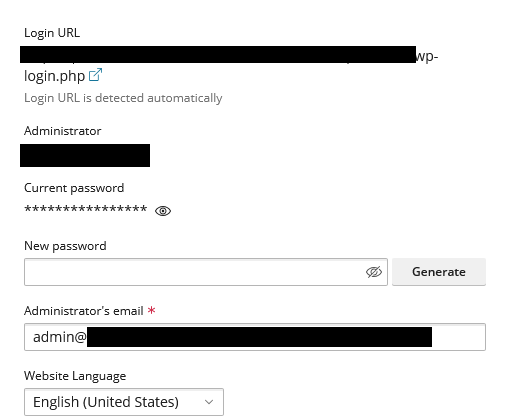
setupwhich will bring a popup to reset the admin password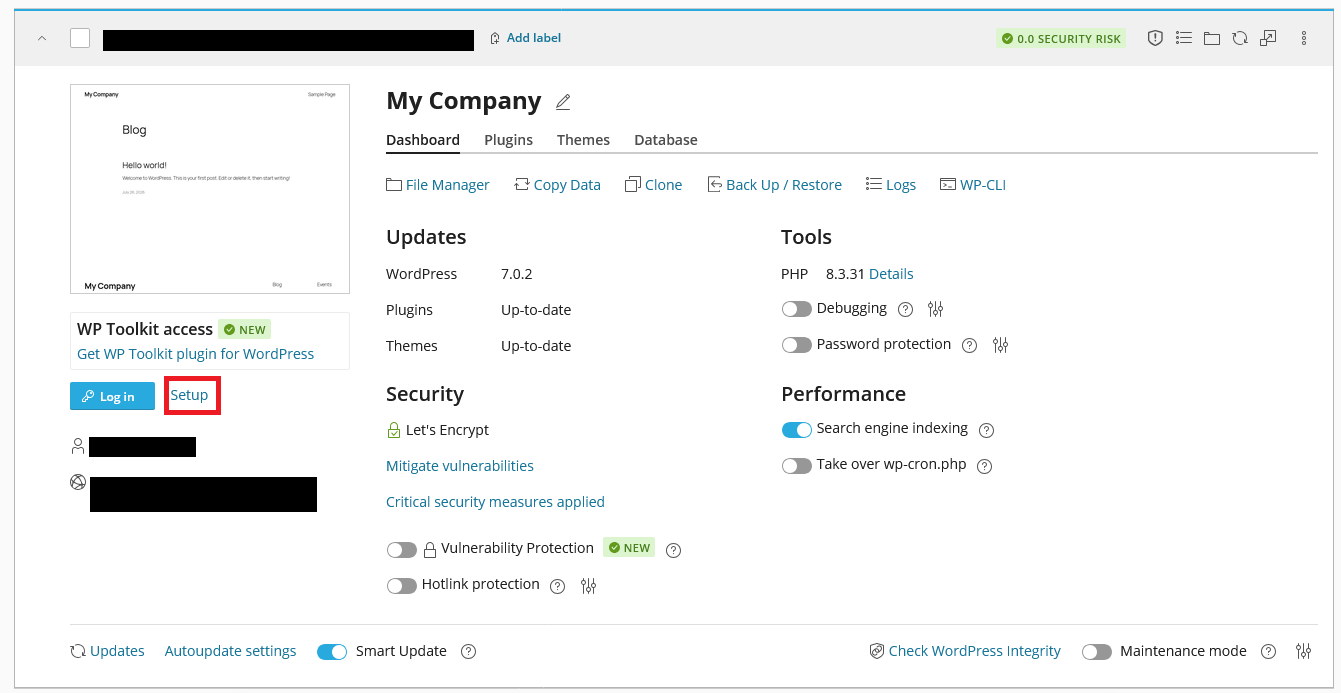
-
Enter a new password, then click the change button at the bottom.
WP-CLI Method
Section titled “WP-CLI Method”To use the WP-CLI method, you will to either use the WP-CLI method on the WordPress Management page in cPanel or use SSH to access your account.
-
Navigate to the location of your WordPress installation.
-
Run the following command to change the password replacing
adminusernamewith the username of the user you want to reset the password for:Terminal window wp user reset-password adminusernameYou will be prompted to enter a new password and confirm it. If you don’t wish to notify the user of the changed password via email use the
--skip-emailflag.
The WP-CLI method allows you to change not only your admin password but also any user’s password on your WordPress installation.
WordPress Hosting Made Easy
Fast NVMe Storage • Free Migrations • 24/7 Expert Support