
How to Use the MultiPHP INI Editor in cPanel
Hawk Host allows you to override PHP INI_SYSTEM and INI_USER using our PHP Selector; however, there may be cases where you wish to modify INI_USER settings for only a specific domain, when multiple domains share the same PHP version, and the PHP selector interface cannot be used.
Opening the MultiPHP INI Editor
Section titled “Opening the MultiPHP INI Editor”- Log in to your cPanel account.
- Navigate to the “MultiPHP INI Editor” section under “Software”.
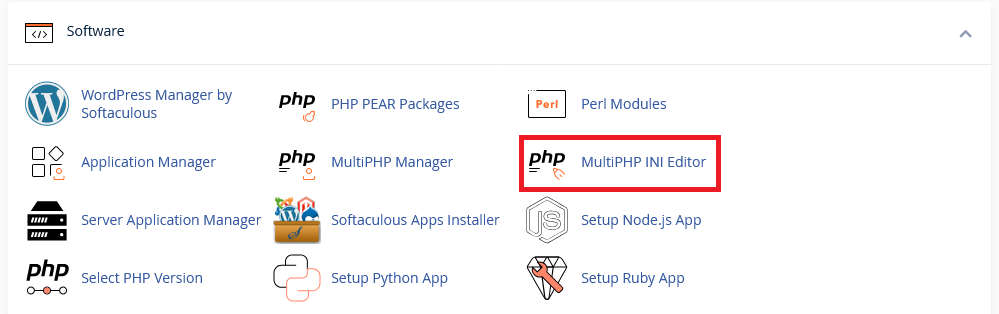
- Select the location (domain) you want to modify.
Basic Mode
Section titled “Basic Mode”Basic mode allows you to modify the most common PHP ini settings. When you change a value, click Apply to save the changes. The current list of options you can modify using the basic editor:
| Directive | Description | Default |
|---|---|---|
| display_errors | This determines whether errors should be printed to the screen as part of the output or if they should be hidden from the user. | Off |
| error_log | This sets the name of the file where script errors should be logged. | /home/yourusername/logs/php.error.log |
| log_errors | This determines whether errors should be logged to the error log file. | Off |
| max_execution_time | This sets the maximum time in seconds a script is allowed to run before it is terminated by the parser. | 30 |
| max_input_time | This sets the maximum time in seconds a script is allowed to parse input data, like POST and GET. | 60 |
| max_input_vars | This sets the maximum number of input variables allowed per request and can be used to deter denial of service attacks involving hash collisions on the input variable names. | 1000 |
| memory_limit | This sets the maximum amount of memory in bytes that a script is allowed to allocate. | 256M |
| post_max_size | This sets the maximum size of POST data that PHP will accept. | 64M |
| session.gc_maxlifetime | This specifies the number of seconds after which data will be seen as “garbage” and potentially cleaned up. | 1440 |
| zlib.output_compression | Whether to transparently compress pages. If this option is set to “On” in php.ini or the Apache configuration, pages are compressed if the browser sends an “Accept-Encoding: gzip” or “deflate” header. | Off |
If there is an INI_USER system you wish to modify that is not on the basic editor, you can use editor mode.
Editor Mode
Section titled “Editor Mode”Editor mode allows you to add any INI_USER setting you wish to override. You will find the following at the top of the editor, which you cannot remove. Please add any custom values below.
; cPanel-generated php ini directives, do not edit; Manual editing of this file may result in unexpected behavior.; To make changes to this file, use the cPanel MultiPHP INI Editor (Home >> Software >> MultiPHP INI Editor); For more information, read our documentation (https://go.cpanel.net/EA4ModifyINI)Add any INI_USER values you wish to override, then click save to apply your changes.