
How to Enable WordPress Debug Mode
WordPress debug mode can simplify debugging a variety of issues. You can enable debugging using the Hawk Host WordPress Management interface or by modifying the wp-config.php directly.
WordPress Management Interface
Section titled “WordPress Management Interface”Enable Debug Mode
Section titled “Enable Debug Mode”-
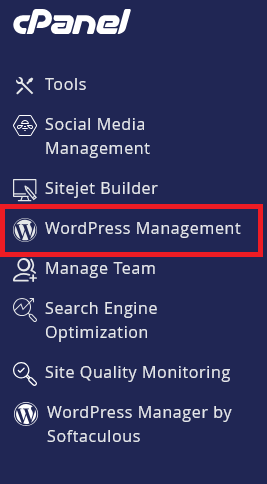
Log in to cPanel and search for WordPress Management:
-
Click on WordPress Management to open the dashboard:
-
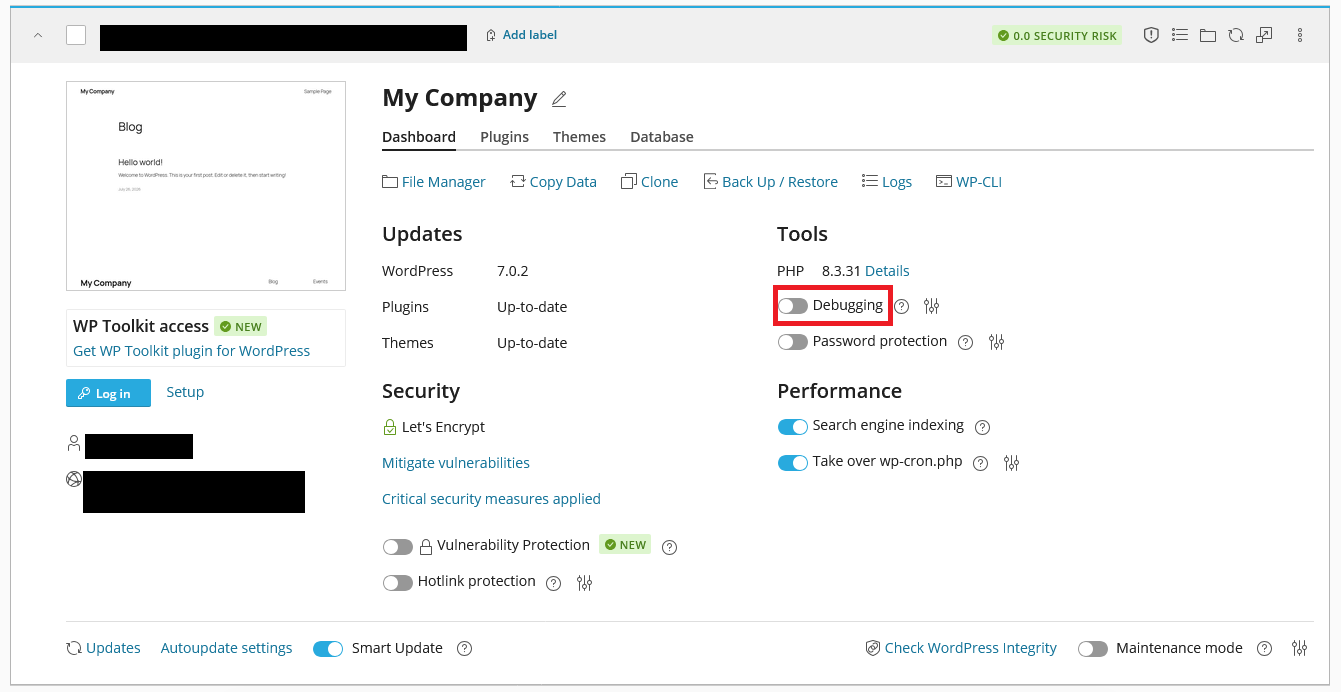
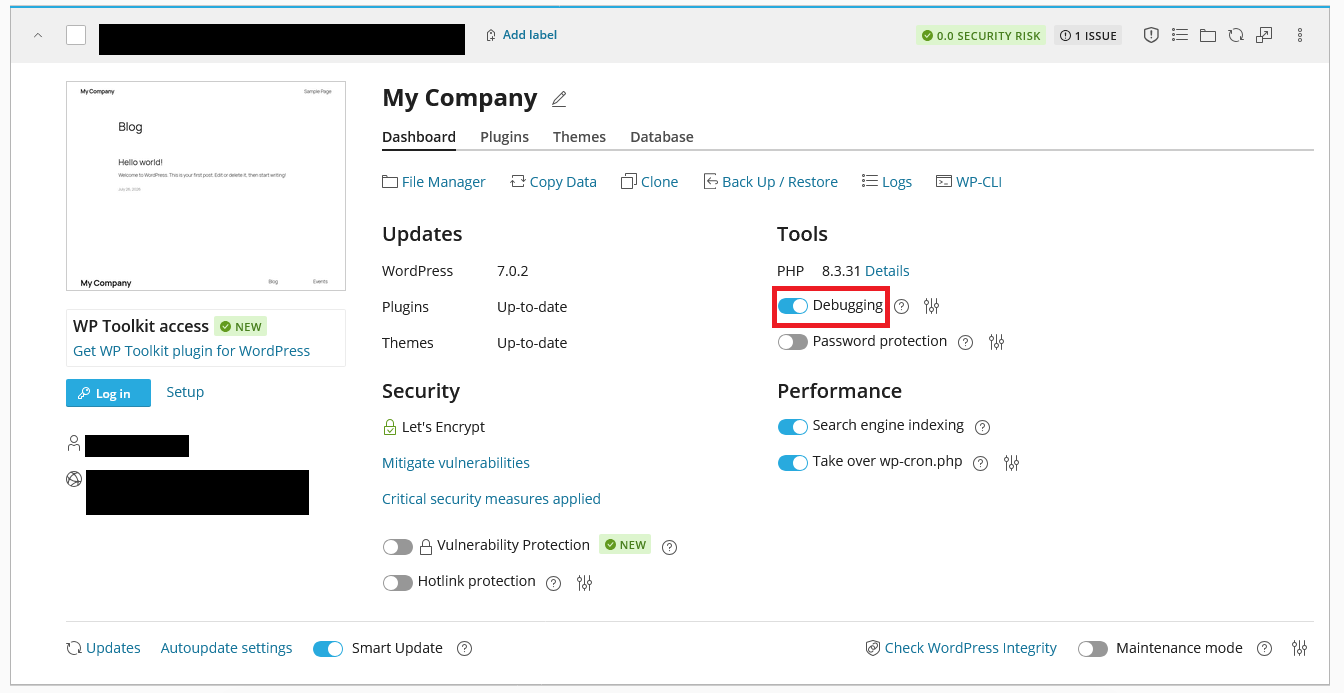
Find your WordPress site in the list you wish to enable debug mode for
-
Enable Debugging by clicking the toggle button
-
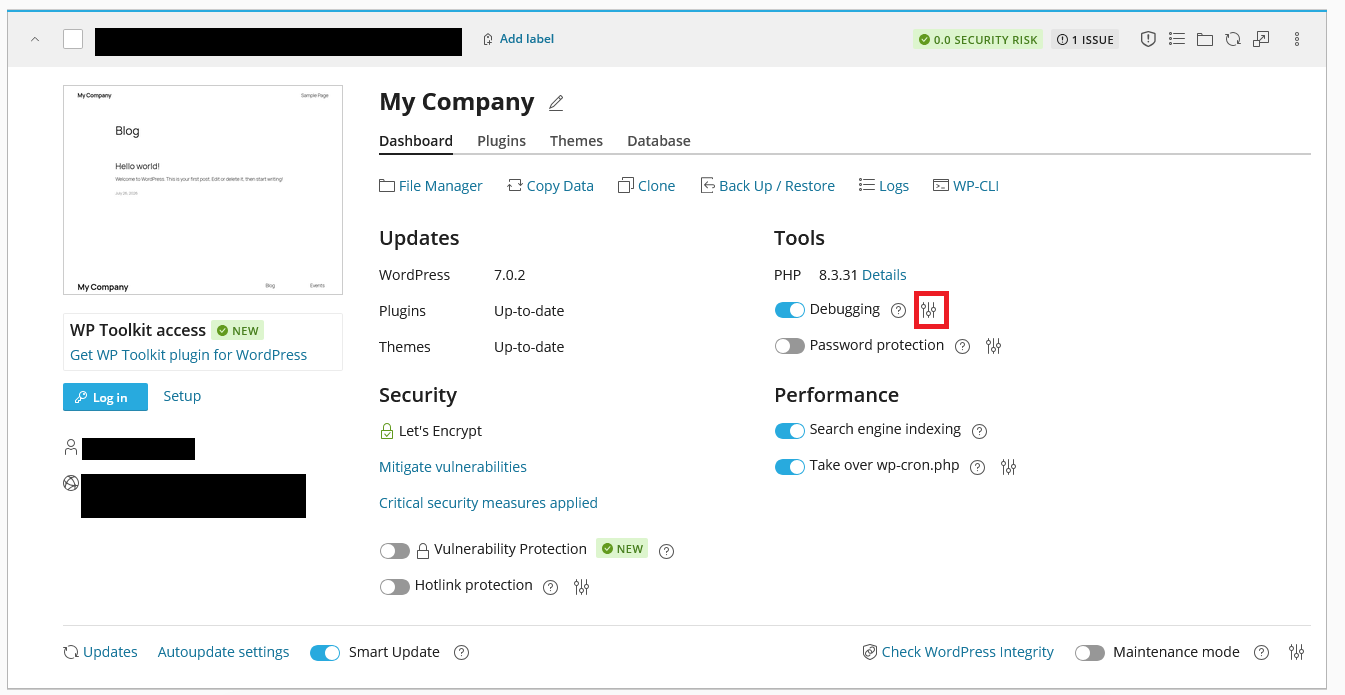
Click the Options button to open the debug configuration
-
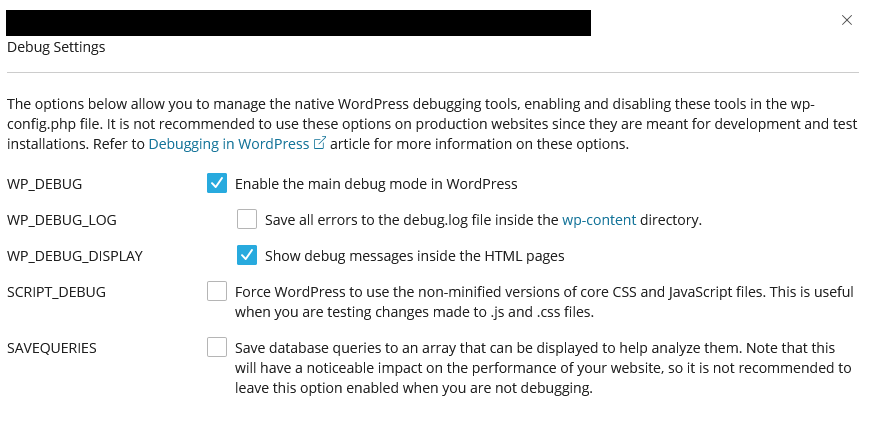
Configure the debug settings as needed
-
Click Save to apply the changes
Disable Debug Mode
Section titled “Disable Debug Mode”-
Log in to cPanel and search for WordPress Management:
-
Click on WordPress Management to open the dashboard:
-
Find your WordPress site in the list you wish to disable debug mode for
-
Disable Debugging by clicking the toggle button
Direct wp-config.php Modification
Section titled “Direct wp-config.php Modification”Enable Debug Mode
Section titled “Enable Debug Mode”-
Log in to cPanel and navigate to File Manager (or by using an FTP client)
-
Navigate to your WordPress installation directory
-
Locate and open the
wp-config.phpfile -
Add or modify the following lines:
define('WP_DEBUG', true);define('WP_DEBUG_LOG', true);define('WP_DEBUG_DISPLAY', false); -
Save the changes
Disable Debug Mode
Section titled “Disable Debug Mode”-
Log in to cPanel and navigate to File Manager (or by using an FTP client)
-
Navigate to your WordPress installation directory
-
Locate and open the
wp-config.phpfile -
Add or modify the following lines:
define('WP_DEBUG', false);define('WP_DEBUG_LOG', false);define('WP_DEBUG_DISPLAY', false); -
Save the changes
Debug Configuration Options
Section titled “Debug Configuration Options”When enabling debug mode, you can configure the following options:
- WP_DEBUG: Enables or disables debug mode
- WP_DEBUG_LOG: Enables or disables logging of errors to a debug.log file in the wp-content directory
- WP_DEBUG_DISPLAY: Enables or disables displaying errors on the screen
WordPress Hosting Made Easy
Fast NVMe Storage • Free Migrations • 24/7 Expert Support