
How to Control Search Engine Indexing for WordPress
The WordPress Management interface can be used to quickly and easily advise search engines that you do not currently want to be indexed. The feature is especially useful when your website is not ready to go public or when the WordPress installation is a staging version of your public website.
How it works
Section titled “How it works”The search engine indexing option in WordPress Management discourages search engines from indexing your website. The feature turns on an option in WordPress that adds the noindex and nofollow tags to your website’s header. The robots.txt file is either added or updated to include a Disallow directive.
How to disable search engine indexing
Section titled “How to disable search engine indexing”-
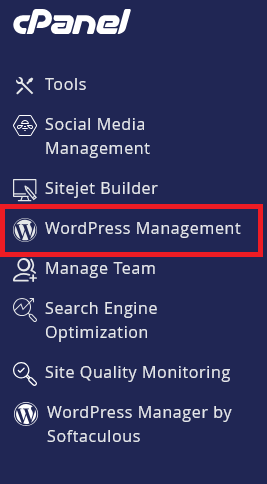
Log in to cPanel and search for WordPress Management:
-
Click on WordPress Management to open the dashboard:
-
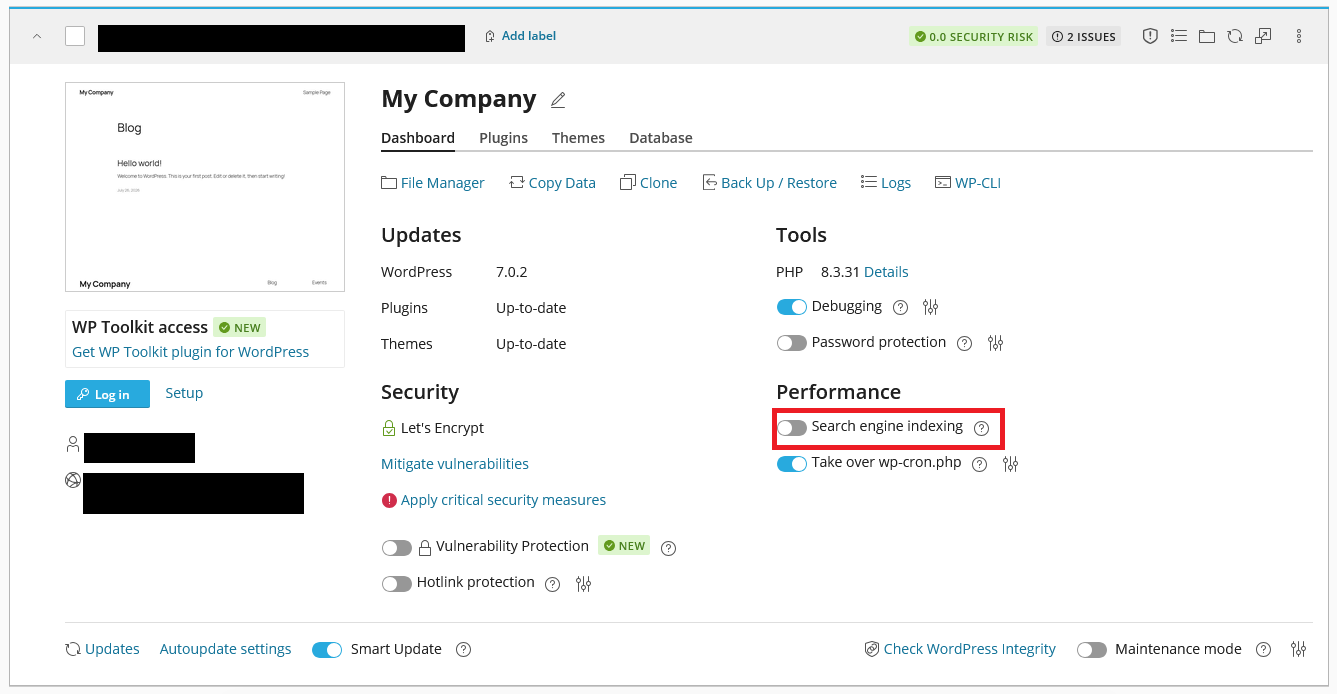
Toggle the Search engine indexing switch to the Off position:
How to enable search engine indexing
Section titled “How to enable search engine indexing”-
Log in to cPanel and search for WordPress Management:
-
Click on WordPress Management to open the dashboard:
-
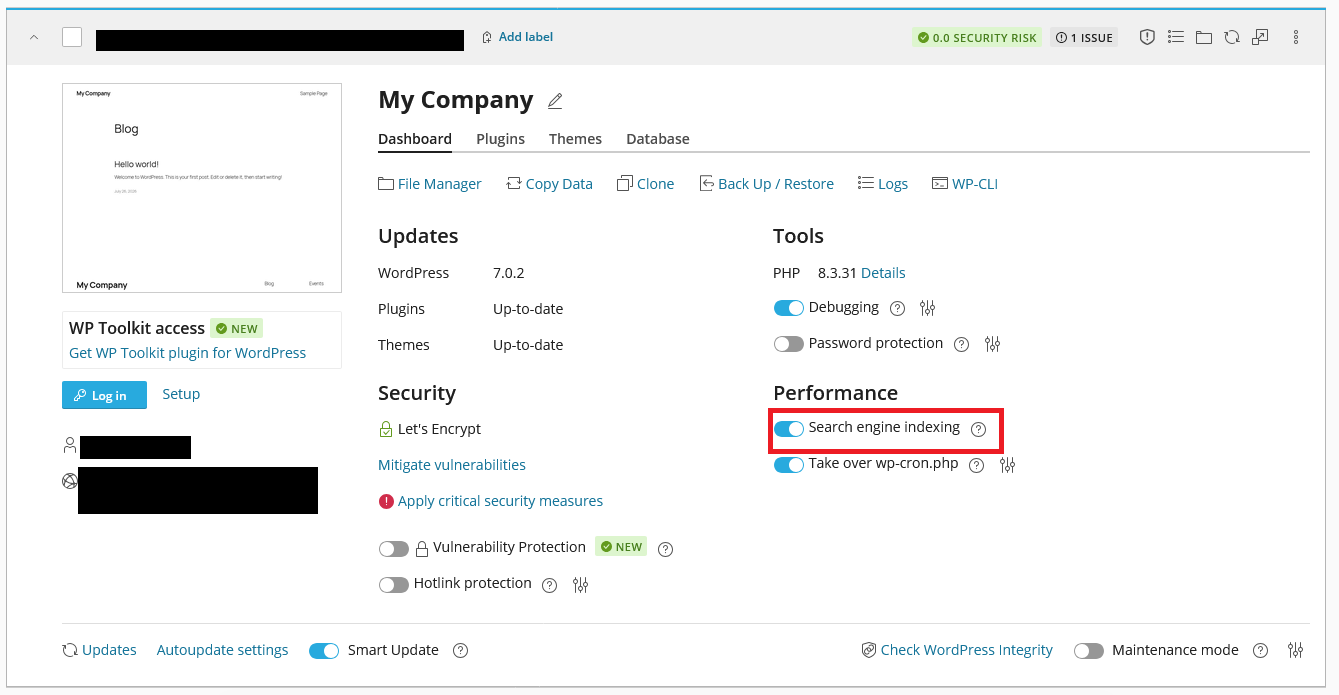
Toggle the Search engine indexing switch to the On position:
WordPress Hosting Made Easy
Fast NVMe Storage • Free Migrations • 24/7 Expert Support