
Installing Akaunting with Softaculous
Softaculous enables one-click installations of Akaunting through cPanel, which takes less than five minutes to complete.
How to Install Akaunting with Softaculous
Section titled “How to Install Akaunting with Softaculous”-
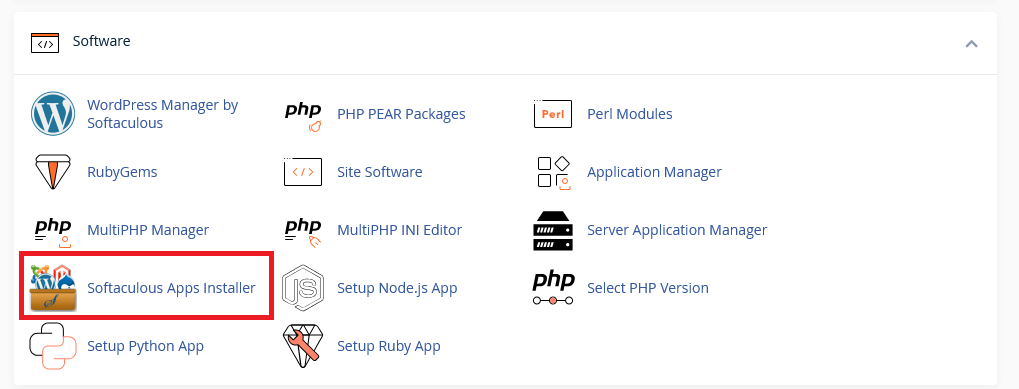
Log in to your hosting account’s cPanel and use the search bar to find “Softaculous” or navigate to the Softaculous Apps Installer under the Software section
-
Click the Softaculous Apps Installer icon that appears. You will be redirected to the Softaculous interface.
-
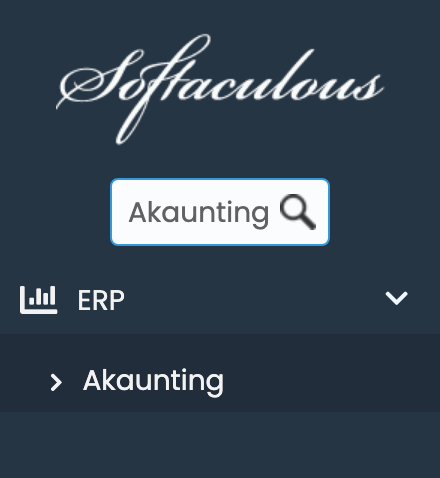
You can use the search bar to find “Akaunting”.
-
You will be presented with your installation options, including your installation URL.
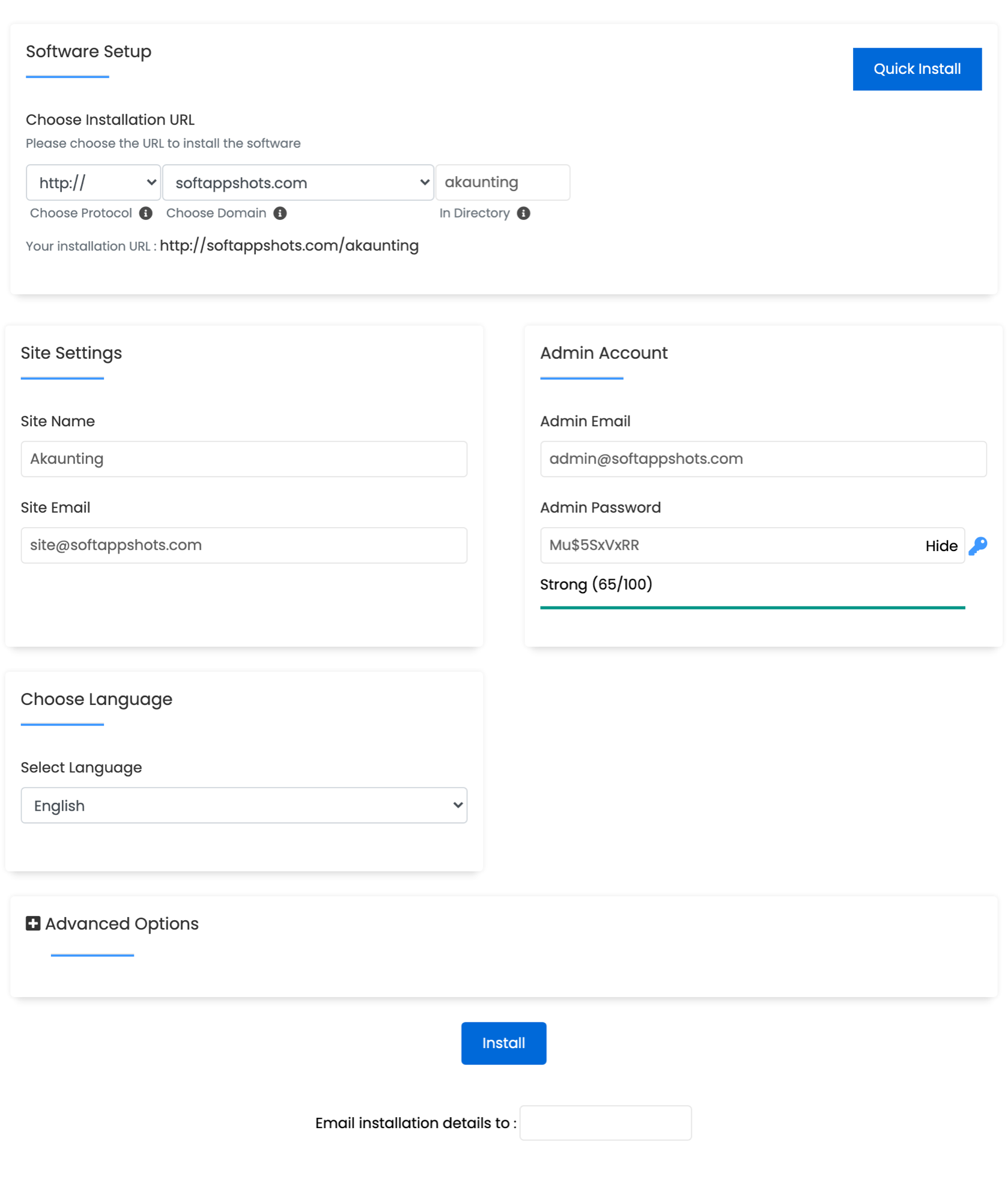
- Set Protocol to https:// for a secure environment.
- Set domain to your desired domain.
- Set Install Directory to the path where you want to install Akaunting (e.g.,
akaunting). If you wish for Akaunting to load on your main domain, leave the directory blank.
-
Scroll down and you will have the option to configure your site settings and login credentials.
- Set the site name and site email.
- Set the admin email and password. We recommend using a strong, unique password.
-
The installation should only take two to three minutes to complete. Once completed, you will see a page showing the message “Congratulations, the software was installed successfully”.
Potential Issues
Section titled “Potential Issues”PHP Version
Section titled “PHP Version”Akaunting requires PHP 8.1 or higher. You can switch your PHP version in cPanel under the “Select PHP Version” section.
Akaunting Hosting Made Easy
Fast NVMe Storage • Free Migrations • 24/7 Expert Support