
How to Enable and Configure OPcache
OPcache is a PHP extension that stores precompiled script bytecode in server memory to dramatically speed up website performance. Upon the first request, the server reads the PHP file, parses the code, and compiles it into machine-readable bytecode (opcode). Subsequent requests to the same PHP file were served from memory. Hawk Host users can enable OPcache through cPanel’s PHP Selector.
Benefits of OPcache
Section titled “Benefits of OPcache”- Faster Page Loads: Eliminates the need to parse and compile PHP files on every request
- Reduced CPU Usage: Less server processing required for PHP execution
- Improved User Experience: Quicker response times for dynamic content
Considerations
Section titled “Considerations”- Memory Usage: OPcache consumes memory to store compiled scripts
- Low Request Frequency: Applications with infrequent PHP requests may see limited OPcache benefits because idle PHP processes can be terminated, causing their cached scripts to be discarded.
- External Caching: If your application already uses a caching mechanism such as LiteSpeed Page Caching or WP Rocket then OPcache may provide limited additional benefit because fewer requests reach PHP and the ones that do may not contain OPCache due low PHP request frequency.
- Application Compatibility: Some applications may not be fully compatible with OPcache
Enabling OPcache
Section titled “Enabling OPcache”-
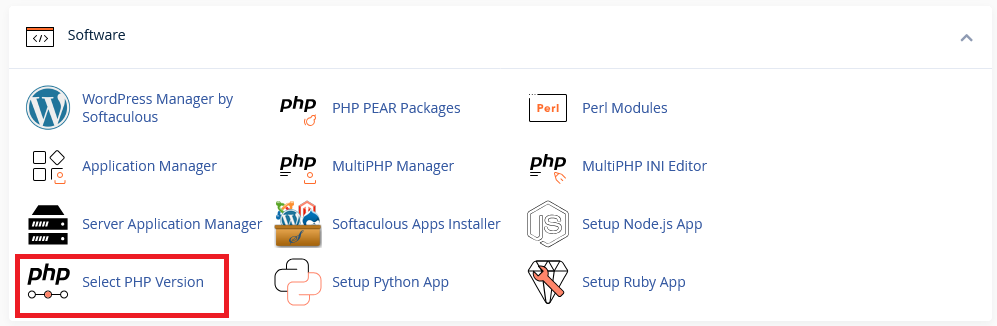
Log in to cPanel and search for Select PHP Version under the Software section:
-
Click on Select PHP Version to open the dashboard:
-
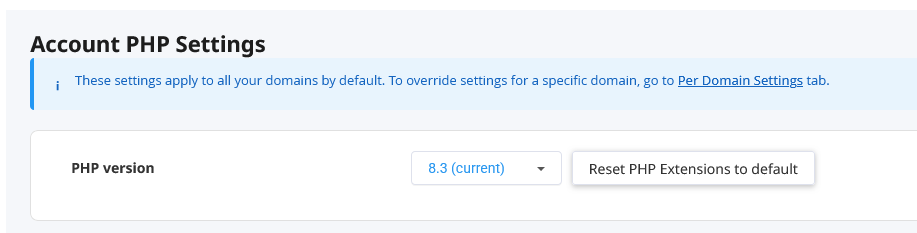
Find the PHP version you wish to enable OPCache for
-
Scroll down to the opcache and click the checkbox to enable it
OPCache Memory Limit
Section titled “OPCache Memory Limit”By default, OPCache has a maximum memory limit of 128 MB. If you require more memory, you can override the memory limit using our guide How to set PHP INI_SYSTEM options not available in PHP Selector GUI.