
How to Enable Site Isolation
CloudLinux currently has a feature, CloudLinux Isolates, which is in beta. Hawk Host does not run beta software on our web hosting servers. The CloudLinux Isolates feature also does not currently support LiteSpeed, so even if CloudLinux Isolates were not in beta, we would be unable to use it.
Hawk Host actively engages with the teams of a variety of software, including CloudLinux. Our team will continue to evaluate the current beta software and provide input before it reaches Hawk Host servers in production.
What is Site Isolation?
Section titled “What is Site Isolation?”Site Isolation is a security feature that isolates each website on your account, providing an additional layer of security and protection.
CloudLinux Isolates currently provides the following:
- Each isolated website runs in its own isolated environment
- PHP processes for isolated websites cannot access files from other websites
- Crontab entries are automatically scoped to their respective document roots
How to Access Site Isolation
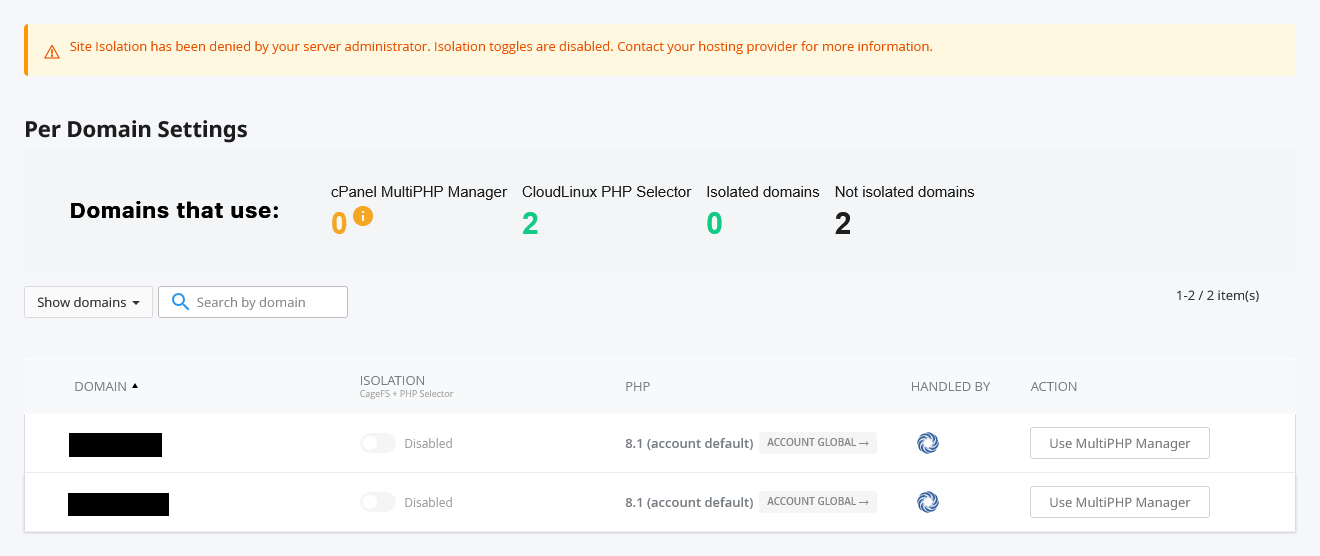
Section titled “How to Access Site Isolation”While the ability to enable Site Isolation is not currently possible on Hawk Host servers, it is still possible to view the current interface.
- Log in to your cPanel account.
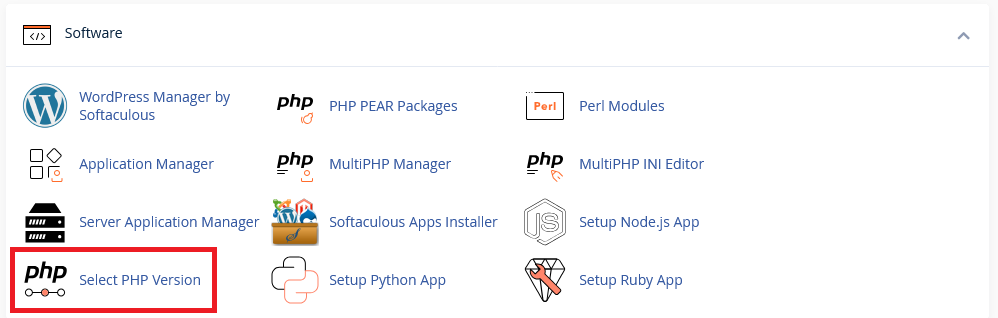
- Navigate to the Select PHP Version section under Software.
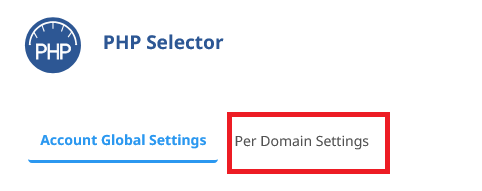
- Select the Per Domain Settings tab.
- You will be brought to the Site Isolation interface.
Estimated Timeline for Site Isolation
Section titled “Estimated Timeline for Site Isolation”We do not have an estimated timeline for when Site Isolation will be available on Hawk Host servers. We will update this article when we have more information. You can also follow our blog for our latest updates.