
Installing ShopSite with Softaculous
Softaculous enables one-click installations of ShopSite through cPanel, which takes less than five minutes to complete.
How to Install ShopSite with Softaculous
Section titled “How to Install ShopSite with Softaculous”-
Log in to your hosting account’s cPanel and use the search bar to find “Softaculous” or navigate to the Softaculous Apps Installer under the Software section
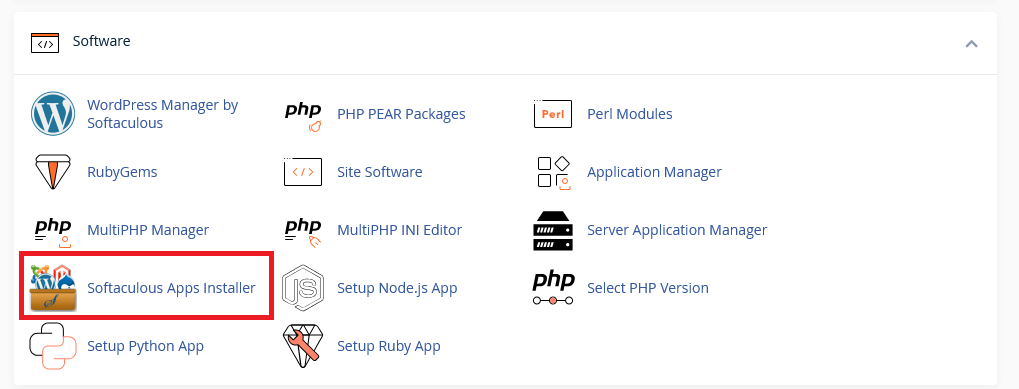
-
Click the Softaculous Apps Installer icon that appears. You will be redirected to the Softaculous interface.
-
You can use the search bar to find “ShopSite”.
-
You will be presented with your installation options, including your installation URL.
- Set Protocol to https:// for a secure environment.
- Set domain to your desired domain.
- Set Install Directory to the path where you want to install ShopSite (e.g.,
shop). If you wish for ShopSite to load on your main domain, leave the directory blank.
-
Scroll down and you will have the option to configure your site settings and login credentials.
- Set the name of your site.
- Set the admin email, username, and password. We recommend using a strong, unique password.
-
The installation should only take two to three minutes to complete. Once completed, you will see a page showing the message “Congratulations, the software was installed successfully”.
ShopSite Hosting Made Easy
Fast NVMe Storage • Free Migrations • 24/7 Expert Support