
How do I create a mailing list through cPanel?
Hawk Host offers two options for creating a mailing list directly on your shared or reseller hosting. You can either use the cPanel Mailing Lists (Mailman) feature, or you can use Softaculous to install a supported custom third-party mailing list software. Additionally, we do not restrict you from manually installing and configuring your own third-party mailing list software.
Setting up a mailing list through cPanel Mailing Lists (GNU Mailman)
Section titled “Setting up a mailing list through cPanel Mailing Lists (GNU Mailman)”For official cPanel Mailing List documentation: cPanel Mailing Lists
-
Log in to your cPanel account.
-
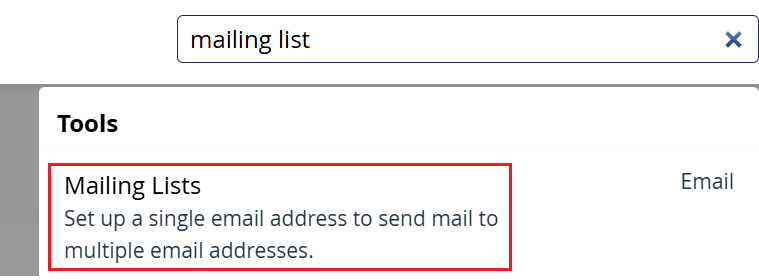
On the cPanel top-right search, look for Mailing Lists
-
Use the provided fields to configure your mailing list. A
Publiclist will be joinable by anyone without administrator verification. APrivatelist will require a mailing list admin to approve new users before they can join the list.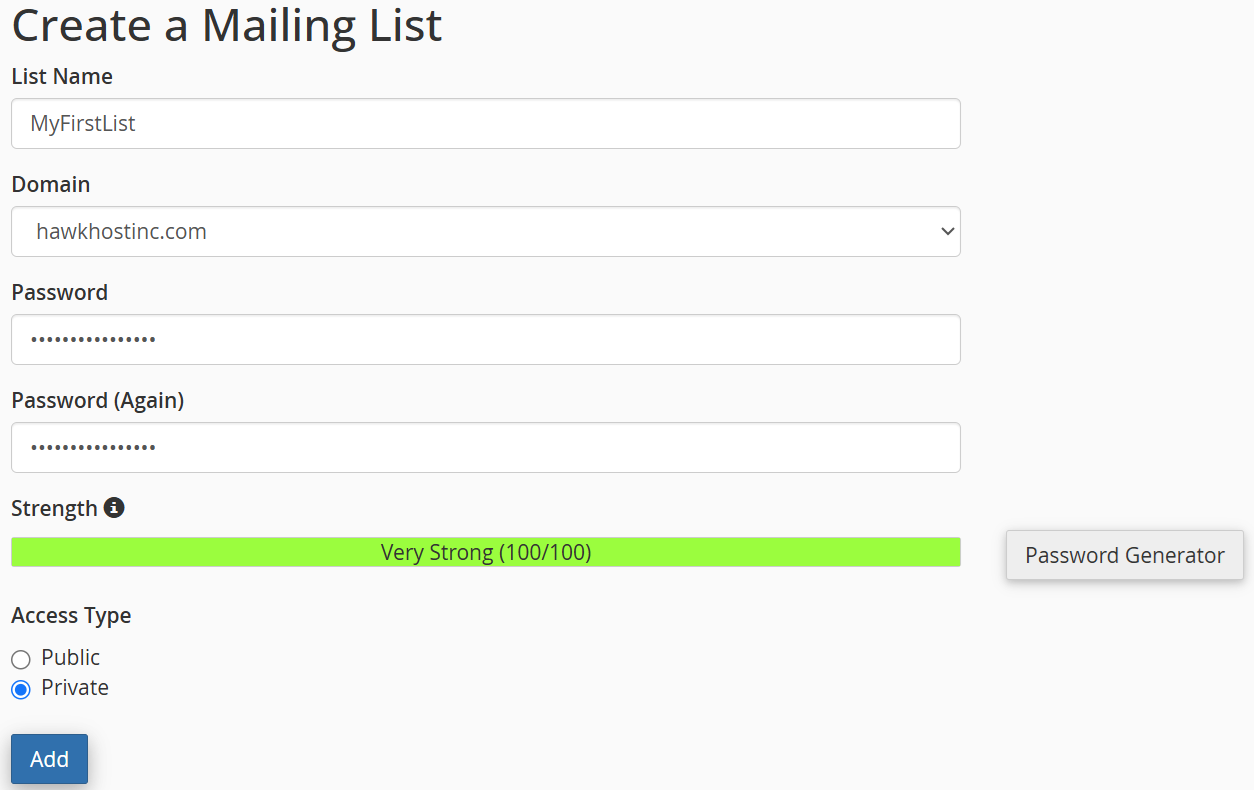
-
Your Mailing List will be created and now appear under the Current Lists section. You can now use the Delete, Change Password, Manage, and Delegation features to further modify and manage your mailing list.

Setting up a mailing list through Softaculous
Section titled “Setting up a mailing list through Softaculous”To view all available Softaculous mailing list software options: Softaculous Mailing List Software
-
Log in to your cPanel account.
-
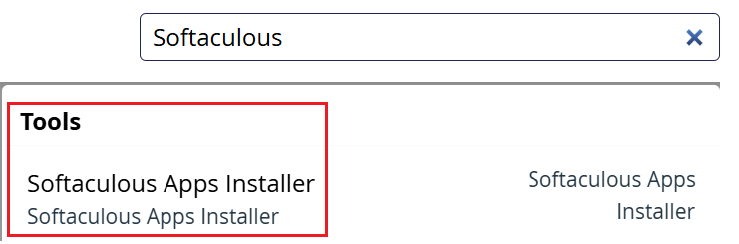
On the cPanel top-right search, look for Softaculous
-
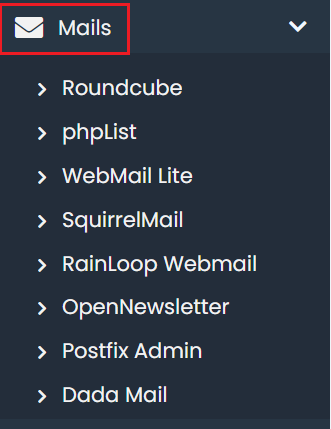
Once inside the Softaculous interface, use the left-side navigation to find the Mails section, or use the top-left search to find your specific mailing list you wish to install from the Softaculous mailing list apps page:
-
Click the blue Install button next to your desired software, and then follow the steps presented by Softaculous to complete your installation.