
How to Verify WordPress File Integrity
There are cases where you may wish to verify the integrity of your WordPress files, such as when you’ve made custom changes to the standard WordPress core files or when you believe your website may be compromised.
cPanel WordPress Management Method
Section titled “cPanel WordPress Management Method”In the Hawk Host cPanel, we provide a WordPress Management interface that makes it easy to perform a variety of functions you typically run using the WP-CLI.
-
Log in to your cPanel account.
-
To access this interface, navigate to the WordPress Management section in your cPanel.
-
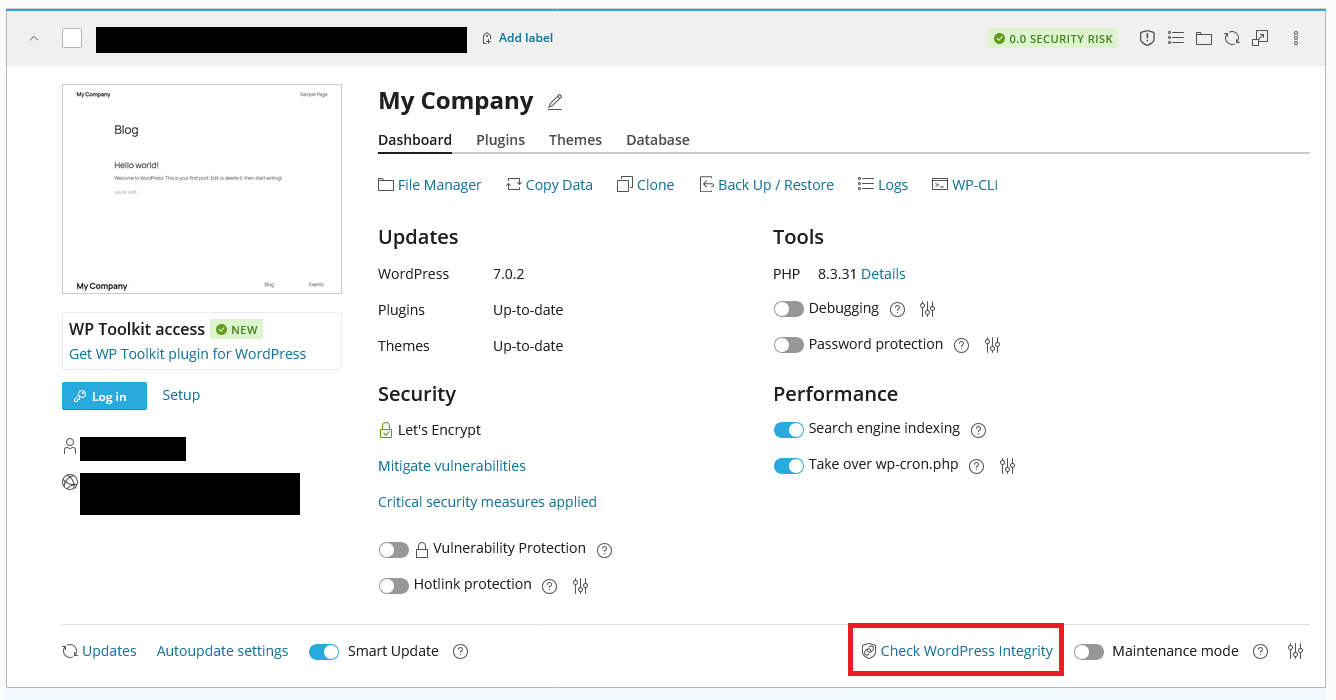
Once there, you’ll see a list of your WordPress installations. On the interface you’ll see an option Check WordPress Integrity
-
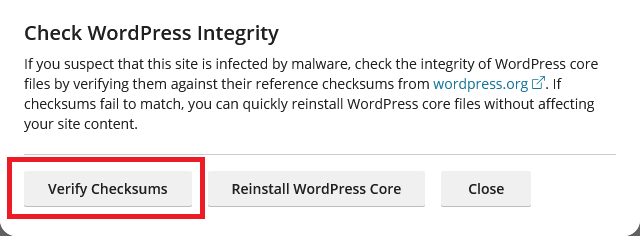
On the Check WordPress Integrity pop-up, there will be a Verify Checksums option which you can click to verify the integrity of your WordPress files.
WP-CLI Method
Section titled “WP-CLI Method”To use the WP-CLI method, you will to either use the WP-CLI method on the WordPress Management page in cPanel or use SSH to access your account.
Checksum Verification
Section titled “Checksum Verification”-
Navigate to the location of your WordPress installation.
-
Run the following command to verify the integrity of your WordPress files:
Terminal window wp core verify-checksums -
Expected Output
Terminal window Success: WordPress installation verifies against checksums.
Checksum Verification and check for non-core files
Section titled “Checksum Verification and check for non-core files”-
Navigate to the location of your WordPress installation.
-
Run the following command to verify the integrity of your WordPress files and check for non-core files:
Terminal window wp core verify-checksums -
Expected Output
Terminal window Warning: File should not exist: .user.iniWarning: File should not exist: php.iniWarning: File should not exist: index.hawkhostSuccess: WordPress installation verifies against checksums.
Hawk Host Non-Core Files
Section titled “Hawk Host Non-Core Files”On Hawk Host servers, there could be several files that, while they are non-core files, are part of the standard operation of a Hawk Host account.
.user.ini- This file is part of the MultiPHP INI editor in cPanel. It overrides certain PHP settings on your account.php.ini- This file is part of the MultiPHP INI editor in cPanel. It overrides certain PHP settings on your account.index.hawkhost- This file is added to your account when it is set up to display a custom welcome message when visiting your website before you upload your files. You can safely remove this file.
WordPress Hosting Made Easy
Fast NVMe Storage • Free Migrations • 24/7 Expert Support